Table of Contents |
So far in this course, every time you wanted to query a database, you have had to manually type the statement. That's a lot of work! One way to avoid all that typing and make accessing the database easier for people who aren't SQL experts is to create views.
A view is a saved query that acts as if it were a table. Users can query the view the same way they query a table. Views can simplify complex queries, abstract underlying data structures, and provide some security.
Here are some of the benefits of using views:
A view can help simplify the complexity of a query, as we will see in the upcoming lessons, by allowing us to bypass entering the complex query each time. In addition, like a table, you can grant users permission through a view containing specific data. For example, if you have an employee table with sensitive personal information like salary, you could create a view that does not include the salary and allow users to query that view rather than the base table.
The statement would look like the following:
CREATE VIEW <viewname>
AS
SELECT <statement>;
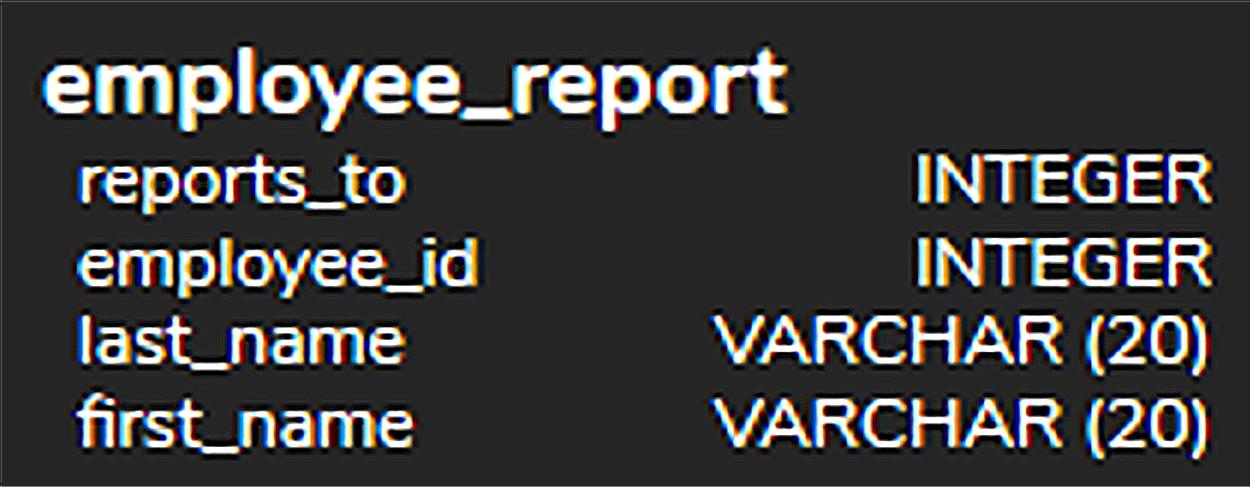
For example, if we wanted to only have a list of the employee names and who they report to, we could create a view like this:
CREATE VIEW employee_report
AS
SELECT first_name, last_name, employee_id, reports_to
FROM employee;
In PostgreSQL, views appear in the navigation pane on the left, like tables do.
To query from this view, we would create a SELECT statement as if it were querying from a table:
SELECT *
FROM employee_report;
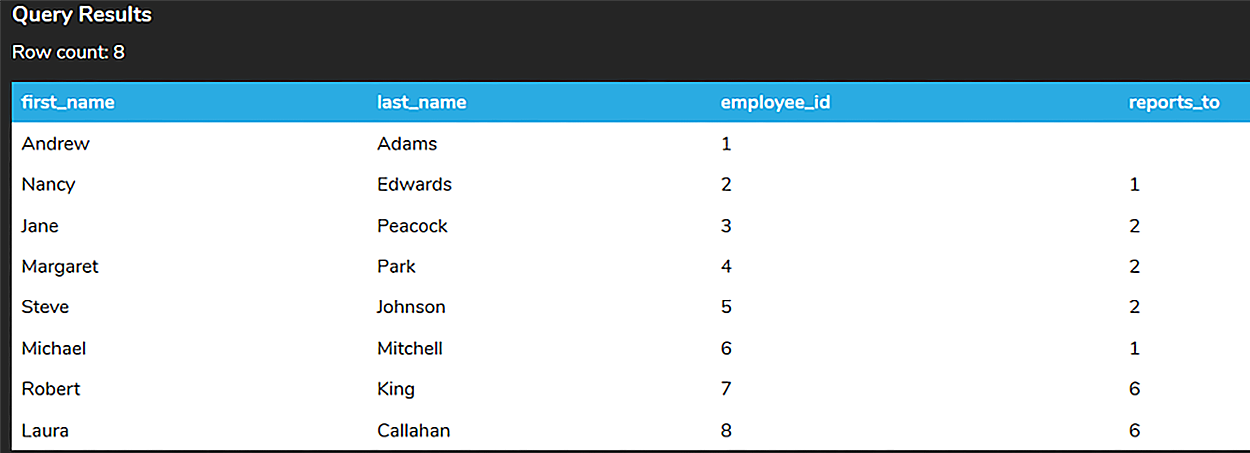
If this were a query that we ran often, it would simplify having to write out the query each time.
If different employees wanted to query their customer list (through the support_rep_id), we could create a view for each:
CREATE VIEW customer_contact_3
AS
SELECT first_name, last_name, email
FROM customer
WHERE support_rep_id = 3;
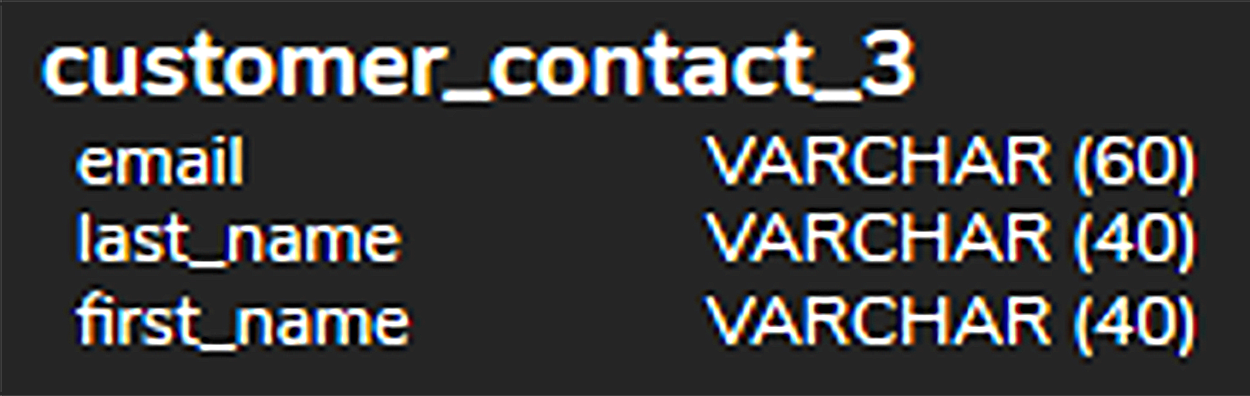
Instead of having to query that entire customer list and filtering out the data each time, the support_id_rep equal to 3 can query the customer_contact_3 view directly, like this:
SELECT *
FROM customer_contact_3;
Otherwise, they would have to enter in the entire SELECT statement each time:
SELECT first_name, last_name, email
FROM customer
WHERE support_rep_id = 3;
In this case, the view filters the columns (first_name, last_name, and email) as well as the rows (those that have the support_rep_id equal to 3). Since the view does not store any data, if anything changes in the customer table, the updates would be reflected in the view immediately when queried.
Source: THIS TUTORIAL WAS AUTHORED BY DR. VINCENT TRAN, PHD (2020) AND FAITHE WEMPEN (2024) FOR SOPHIA LEARNING. PLEASE SEE OUR TERMS OF USE.



