Generative AI becomes real when you actually try it for yourself. In this lesson, you will explore the most common tools available today and practice identifying prompts. By the end, you will be ready to open one of these tools and try it on your own. Specifically, this lesson will cover:
1. Common Generative AI Tools
Several AI tools are available to the public. Each has the same basic idea - you type or speak a prompt, and the tool generates a response - but they have different strengths.
- ChatGPT (created by OpenAI) is one of the best-known AI chatbots. It was also the first Chatbot powered by breakthrough AI discoveries to be available to users widely.
- Gemini (created by Google) is designed to connect with Google tools you may already use.
- Copilot (built into Microsoft products) works inside Word, Excel, and other apps to help with writing, organizing, and analyzing data.
Walmart is also building AI tools that are designed just for associates. For example, “My Assistant” can help store teams with scheduling, answering policy questions, or planning tasks. These custom tools use the same AI technology as public chatbots, but they are trained with Walmart-specific knowledge.
2. Review: Prompts
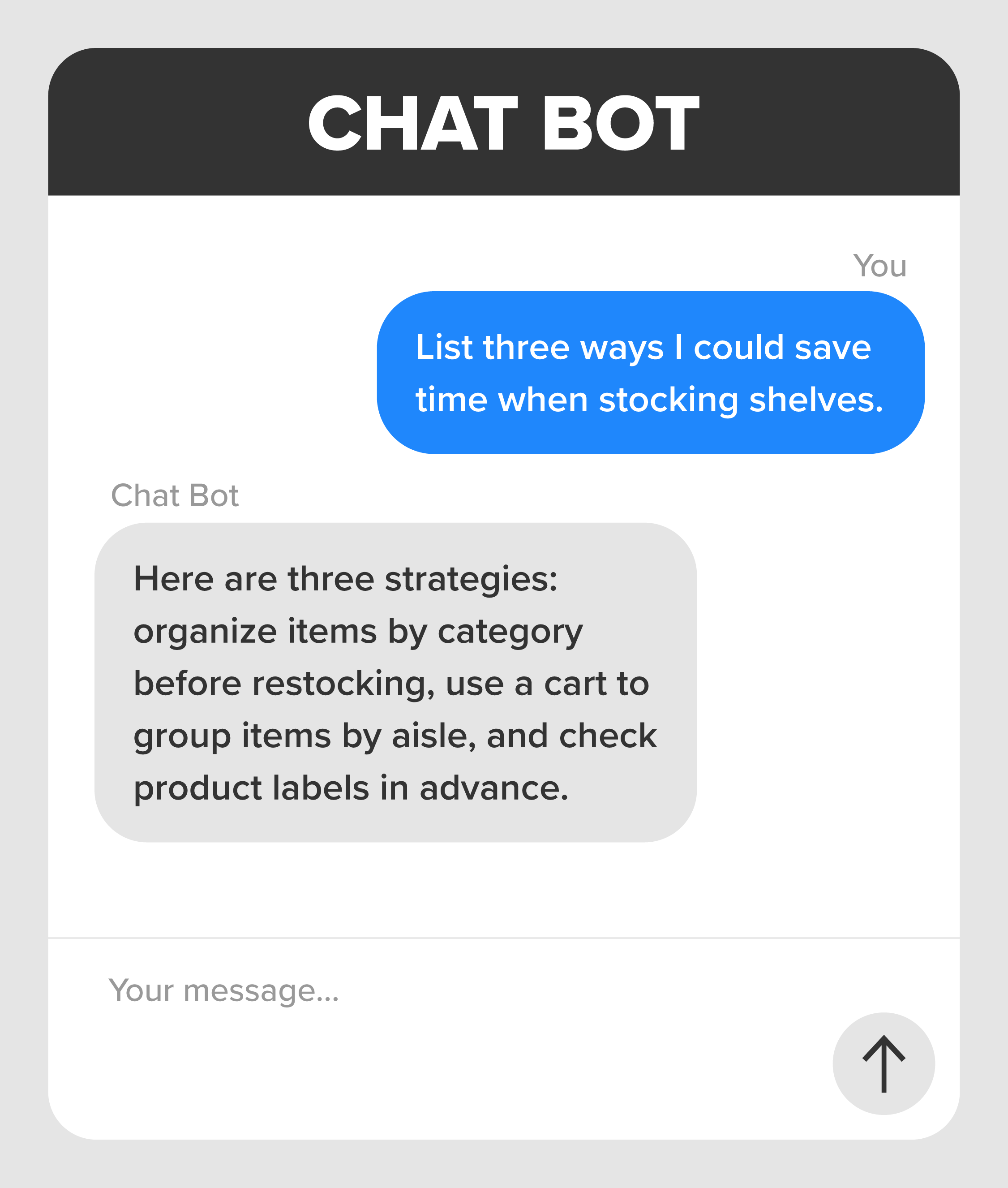
Recall that every generative AI tool starts with a prompt. A prompt is your input (what you type or say to the chatbot). For example, you might prompt the chatbot to “Write a polite message to a customer letting them know their order is ready.” The chatbot would respond by suggesting a ready-to-send message.
-
Look at the exchange below and identify which part is the prompt.
3. Try an AI Tool for Yourself
The best way to learn about chatbots and what they can do is to try it yourself. Later in the course, you will learn a variety of prompting techniques designed to get you the output you want for different situations or audiences. For now, just try prompting a chatbot to see what happens. There isn’t a single “right” way to do it. Prompts can be anything you ask, and experimenting is how you discover what works best.
-
- Go to chat.openai.com and create a free ChatGPT account if you don’t already have one. All you need is an email address. Or, download the free ChatGPT app on your mobile device.
- Once you're in, type a simple prompt, such as: “Write a thank-you note to a coworker who helped me finish a shift.”
- Explore on your own: Ask the chatbot to write something, explain a topic, or suggest ideas. Feel free to try more than one thing. You can be as creative as you want. Have fun with it! ChatGPT can also create images, so go ahead and try that too!
After you’ve tried prompting the chatbot, come back here to reflect on what you just did.
-
Think about the first few things you asked the AI. Which of these is closest to your choice? You can choose multiple options.
-
There isn’t one “right” way to use an AI tool. Everyone starts in a different place, and each prompt helps you learn what is possible.
In this lesson, you named some of the most common generative AI tools, from ChatGPT and Gemini to Copilot and Walmart’s own My Assistant. Next, you reviewed prompts, setting the stage for trying an AI tool yourself.



