This tutorial covers the process of subject selection so you can prepare to enrol in the right courses. Here is what will be discussed:
- The process of subject selection
- Browse and analyse course structure
- Registration through the Student Portal
1. The process of subject selection
In order to officially become a student in a higher education class, you have to enrol in it. Enrolment means that you have reserved one of the available spaces in the class. Typically, you complete the enrolment process once per study period in preparation for the next study period.
- 1a. Browse and analyse your course structure
The first step in the subject enrolment process is to locate the complete list of subjects you can choose from and read through it carefully.
You can find this information by going to the Student Hub and clicking on your course page:
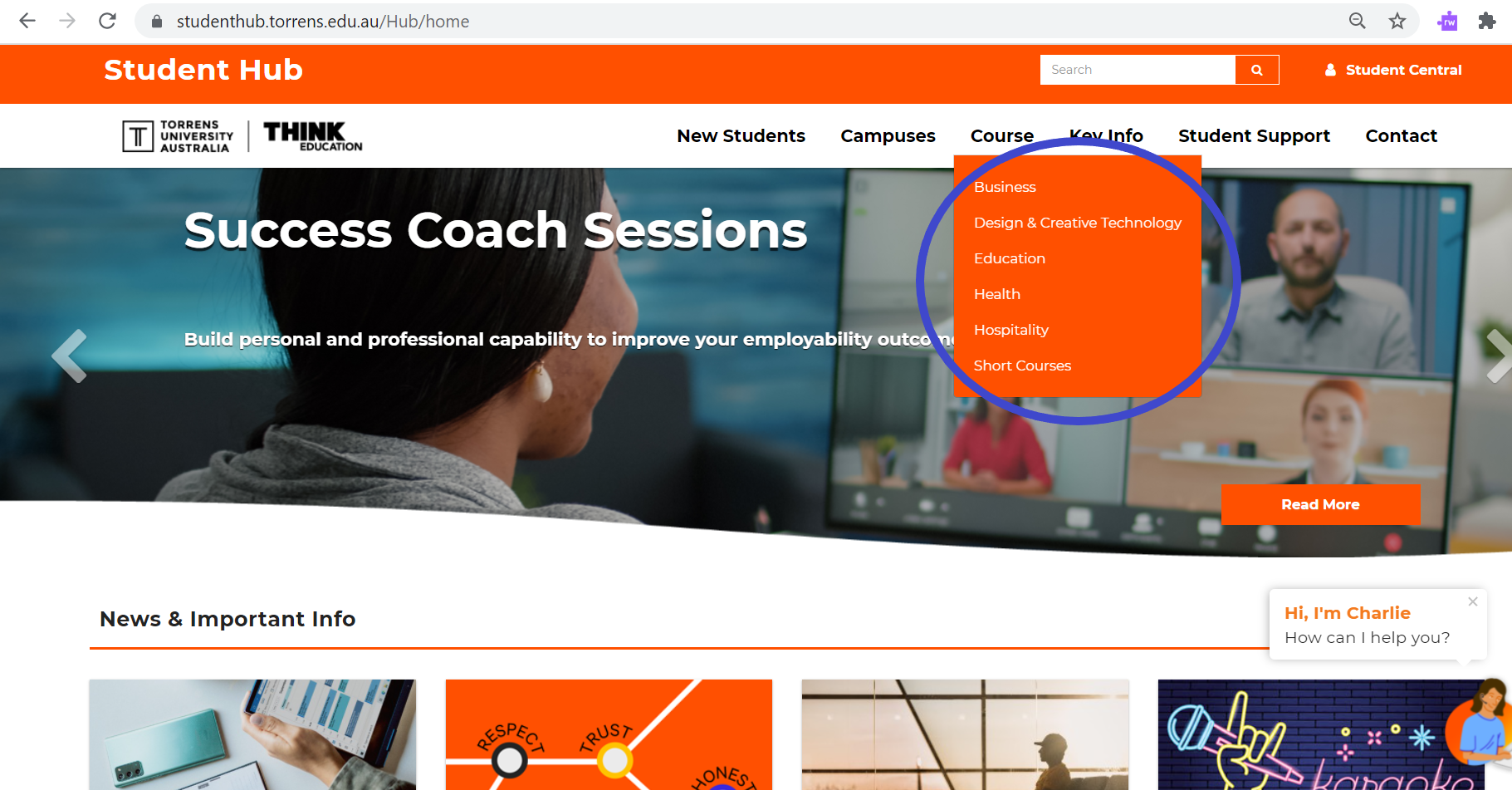
You can also click directly into the links below to find out more about your particular course:
- 1b. Registration through the Student Portal
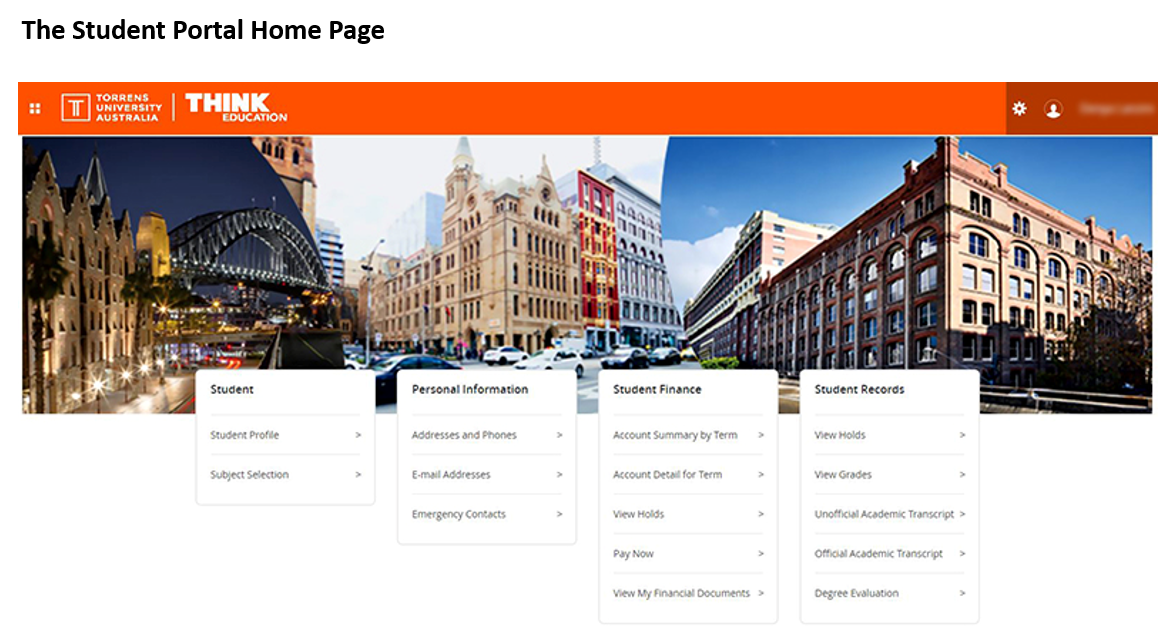
Once you've given thoughtful consideration to your subject selection, it's time to register for classes. You can register for your classes through the Student Portal.
As a student in higher education, it's your responsibility to register for classes, but there is plenty of support if you have questions or uncertainties.
At the start of each enrolment period a number of drop-in sessions are offered so you can get your questions answered. Take a look at the Subject Selection page on the Student Hub to find out when these sessions are offered. You can also speak with your Career and Course Advisor.
Student Services are also available to answer questions around subject selection and enrolment. Find out more about Student Services, including contact information, here .
-
-
- Enrolment
- To put yourself on the official list of students in a subject. At Torrens University this is done through the Student Portal.
- Course Structure
- A list of the subjects you need to successfully complete in order to achieve your qualification. You can find this on the Student Hub. Choose the course tab and find your own course to locate the course structure.
- Student Portal
- The web page where students select subjects, enrol in classes, check final grades and view financial information. You can sign into the portal with your Microsoft Office 365 log in details.
- Course and Career Advisor
- When you need support in subject choice and enrolment as a new student, Torrens course and career advisors can help.
Understanding the process of subject selection and enrolment will help you succeed in choosing the right courses. Browse and analyse the course structure, get the details on when and how to enrol, and select your classes.



