Table of Contents |
Even a short email has several components which should be used thoughtfully. For the most part, these follow the same conventions as print memos; indeed, emails both take the basic structure of memos and now serve in their place, so if you do write a printed memo the same rules apply.
Have you ever received an email that has a subject line that simply says “Important Announcement” or “Request?” To be more helpful to the recipient, and even to yourself, the subject line should always be meaningful. If you use the subject line to alert your recipient to important news, also give the context: “Important news: staff departures.” If you have a request, include the nature of it in the subject line. “Request: Time-Off Tomorrow.”
Besides telling the recipient the contents of the message, the subject line is the main way recipients will find the email later, whether they do a search or simply scroll through their inbox. For this reason, it is also good to be consistent with the way you label emails. For example, you might precede every subject line with the name of the project the email is about.
If you have an ongoing email chain about a particular question or topic, and have new thoughts to add, be sure to find and respond to the original exchange so all the people in the group can find it later. By the same token, if you want to email about a different topic, you should always start a new thread instead of piggybacking on an existing email chain. If an email has all the people you need to talk to, it is tempting to reply all, sending your comments to all previous recipients, and say “By the way,” and mention something completely unrelated. The problem is that if someone searches for that email later, it will be nearly impossible to find. Plus, you are adding noise to the current discussion.
EXAMPLE
Say there is an ongoing email exchange where people request time on the agenda for the next staff meeting. You recall, as you leave for the day, that you do, in fact, need five minutes of the staff meeting to talk about something and the deadline to request it is fast approaching. If you send off a quick email from your phone without finding the former thread, the person compiling the agenda is likely to miss it when they put the agenda together later. Or, if you say “I’m good for tomorrow but need ten minutes at the meeting after this one,” your email might be forgotten and might also confuse the person assembling the agenda.It might seem obvious, but you should check to make sure that the sender of the email is correct. If you have multiple email addresses, such as a personal account and a work account, you want to make sure that work messages are sent from your work account.
For organization-wide and public-facing emails, you may wish to consider who should appear to have sent the email, regardless of who wrote it. In some situations you may want an email to appear to have come from an all-purpose organizational account instead of an individual sender. Or it might be a situation where the person to whom recipients should respond is different from the sender. Most business email programs will allow these sorts of fine grain adjustments to the sender.
As with the subject line, it may be easy to neglect basic details of the email if you answer a lot of emails. Are you sending it to the right person? Did you remember to CC everyone who needs to be included, and BCC people who need to be quietly informed?
You should always take the time to check that you are sending an email to the correct person or people, especially with sensitive information. Many people have made the humiliating mistake of accidentally sending an email to the person the email was about! You might also have people in your organization with similar names or email addresses, or colleagues with multiple email accounts, so you want to take the time to get it right.
EXAMPLE
Jenna was frustrated with her colleague, Tim, whom she was collaborating with on an important project. She wrote an email to her manager, Tom, to explain the ways that Tim's bad work habits were slowing the project down. In her haste, though, she accidentally sent the email to Tim and not Tom! Although it was obviously a mistake, given their similar names and the fact that Jenna had been thinking about Tim when she wrote the email, it still took a long time for Jenna and Tim's working relationship to recover from the error.The greeting is a matter of good etiquette. Your goal is to sound professional yet friendly. If the recipient is a teammate or colleague, a less-formal, friendly greeting is appropriate: “Hi John,” or “Good morning Ben.” If your audience is outside your department, in a different location, etc., you would be more formal: “Dear Cathy.” Some messages may not require a greeting, such as one sent to a large group of people, or a message sent to a business inquiring about products and services. Public-facing emails might use more formal but less personalized greetings, such as “Dear Supporters.” Some email software will allow you to insert a tag that will customize the email to the recipient, so that everyone will receive an email that individually names them in the greeting.
You might need an opening paragraph if the message is a long one with many details. Make sure you make it clear to the recipients why they are receiving this email, what the contents are, and if there is anything crucial that needs to be read or acted on. You might think of the opening as an executive summary or a brief table of contents. This will help set expectations, and will also help people receiving the email if they need to read to the end.
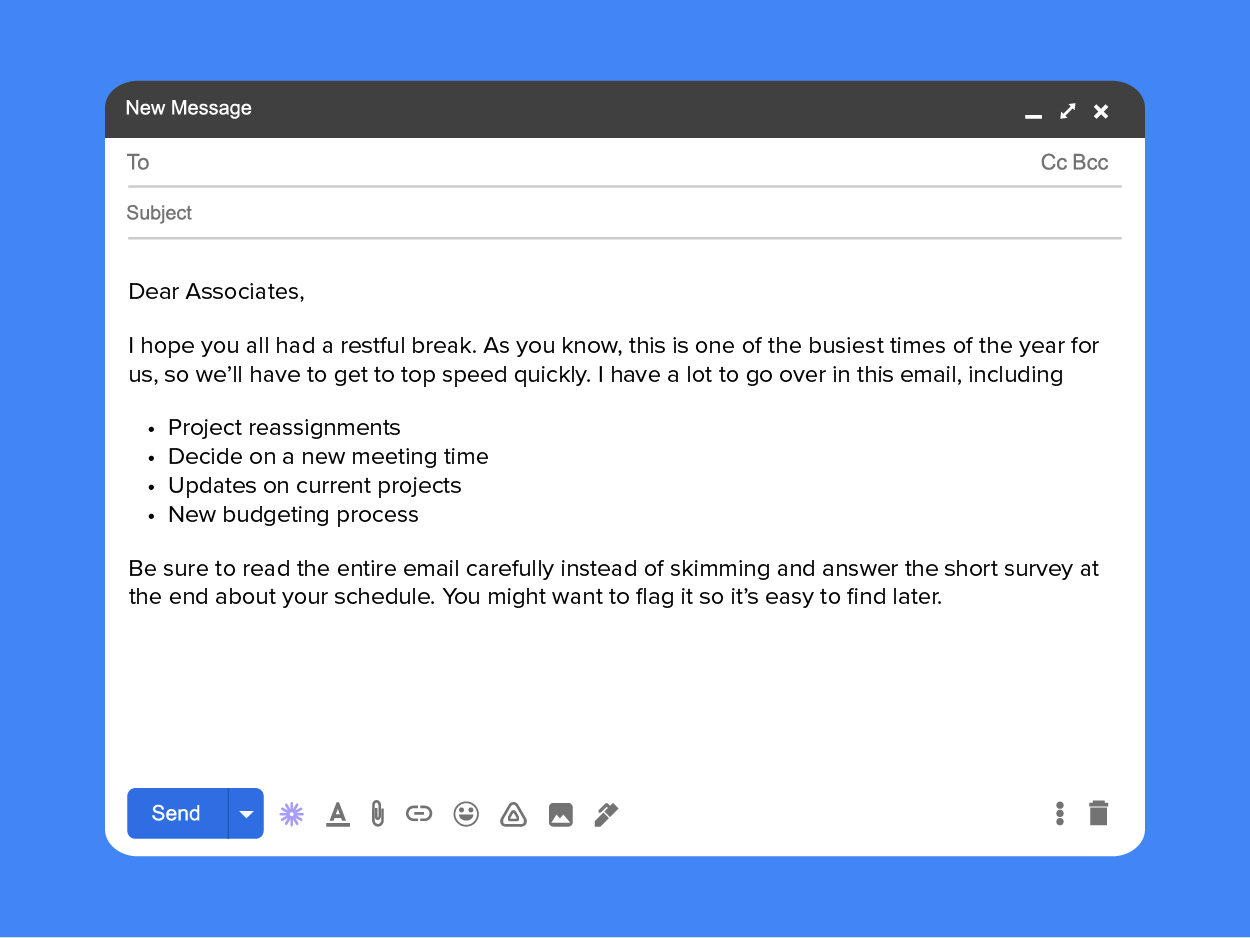
The body of the email is where you do most of your communicating; this is the meat of your message. But by the time your recipient reaches the body, they already should have a lot of information about what they are going to read: they know who sent it, who else received it, the content of the subject line, and the tone expectations set by the greeting! Due to all the work that was done by those earlier sections, the body of an email can immediately get to the important parts.
Think about the way information is presented. You want to be clear, concise, complete, and consistent. You may also follow the strategies of newspaper writing, using the “inverted pyramid” where the most pressing information is given first, followed by details of decreasing importance. For example, if giving assignments you will want to be sure to lead with the person’s name, the request, and a deadline, before going into specifics.
As you write the body of your message, you might notice how challenging it is to include as much information as possible while also trying to keep the email short. Are you writing in long, compound sentences? Take note of your sentence structure and make sure each sentence has one clear idea or connected ideas to make the sentences more digestible. To summarize information, you can also use bullet points in your message to keep it concise but complete.
The close of your message should include action items with specific desired outcomes and dates, at least if it’s a long email where those items might have been buried.
EXAMPLE
“To recap, I need the copy of each manager’s last budget report, a draft of their new budget report, and a proposal on how to meet any discrepancies with either new revenue or cuts. I need this by Friday afternoon at 3 pm. Thanks everyone!”Your signature on external emails might contain full contact information including your name, title, address, phone number, and email address. Internal emails might have much simpler sign-offs, even just the sender's name. Many people also include their pronouns in their signature; whether or not to list them is usually a personal decision. You might also include an indication of your business hours or the best way to contact you, especially if it is not the mode of contact that the signature is found in. Here are two examples:
Sherlock Holmes, Consulting Detective
221b Baker St, London
+44 7911 123456 (texts preferred)
Nancy Drew (she/her)
[email protected]
River Heights, OH
Some organizations have templates for your signature line, and want consistency across the organization, just as they would have with business cards or a letterhead.
There are many other elements you might use in composing an email. For example, you might indicate in the email that you are attaching a document, in order to provide more information than could fit in an email. If you do, make sure that you remember to actually attach the document, a frequently forgotten step! You may also make use of embedded images or even embedded videos. Use your best judgment for when these are appropriate and err on the side of being more professional.
As always, you need to keep your audience in mind. Think about the best time for them to receive an email with lots of action items, for example. You may schedule that email to arrive on Monday morning instead of late Friday afternoon, when people are more likely to brush past it and then forget about it.
EXAMPLE
Jessa has been working on her resume all day Saturday in order to apply for a job. When she's ready to hit send, she pauses and reconsiders: is it a good idea to send in this job application on a Saturday when the hiring manager is probably not working? She schedules the email to send at 8 a.m. Monday instead. Before scheduling the send, she double checks that she successfully attached her resume and that all of her contact information is in her signature in the body of the email.Source: This tutorial has been adapted from Lumen Learning's "Business Communication Skills for Managers." Access for free at https://courses.lumenlearning.com/wm-businesscommunicationmgrs. License Creative Commons Attribution 4.0 International.



