Table of Contents |
Projects have become more complex, often involving cross-functional teams, multiple locations, and diverse technologies. To manage this complexity effectively, organizations increasingly rely on project management software (PMS). These tools are designed to streamline project planning, execution, monitoring, and reporting, ensuring projects meet objectives within scope, budget, and time constraints.
In this lesson, you will explore the purpose, benefits, types, key features, and selection criteria for project management software, providing a structured approach to choosing the right tool for your organization.
Let’s start by looking at the purpose and benefits of project management software.
The primary purpose of project management software is to support the successful execution of projects by providing a centralized platform for planning, tracking, and collaboration.
Specifically, PMS enables organizations to make a variety of project management functions easier. Please see the following table for some PMS functions and examples:
| Function | Example |
|---|---|
| Plan and Schedule Projects | Tools such as Gantt charts, Kanban boards, and timelines help project managers visualize tasks, deadlines, and dependencies. Proper planning reduces delays and resource conflicts. |
| Allocate Resources Efficiently | Software allows project managers to assign tasks to team members based on availability, skills, and workload. This ensures that resources are utilized effectively without overburdening staff. |
| Monitor Progress | Real-time dashboards and reporting features provide visibility into task completion, project milestones, and potential bottlenecks. Early detection of delays or issues enables proactive management. |
| Enhance Collaboration | Team members can communicate, share files, and provide status updates within the software. This reduces reliance on emails and ensures a single source of truth for project information. |
| Manage Budgets | PMS often includes budgeting tools that track project costs, resource expenses, and overall financial performance, helping prevent overruns. |
| Facilitate Decision-Making | By integrating data and analytics, PMS supports evidence-based decision-making, allowing managers to adjust scope, timelines, or resources as needed. |
| Ensure Compliance and Documentation | PMS maintains an audit trail of changes, approvals, and communications, which is crucial for regulatory compliance and lessons learned in future projects. |
Organizations that adopt project management software often experience measurable benefits:
Some benefits and their description are listed in this table.
| Benefit | Description |
|---|---|
| Improved Efficiency | Automation of routine tasks such as scheduling, reminders, and reporting frees up project managers to focus on strategic activities. |
| Better Communication | Centralized communication reduces misunderstandings, missed messages, and duplicated work. |
| Enhanced Accountability | Task assignments, deadlines, and progress tracking foster a culture of accountability. |
| Risk Mitigation | Real-time monitoring helps identify risks early, enabling corrective action before they escalate. |
| Scalability | PMS supports small, medium, and large projects, allowing organizations to scale their project management processes. |
| Knowledge Management | Project history, documentation, and templates serve as organizational knowledge repositories for future initiatives. |
Next, let’s explore the different types of software.
Project management software varies in complexity, functionality, and delivery model.
The main types include:
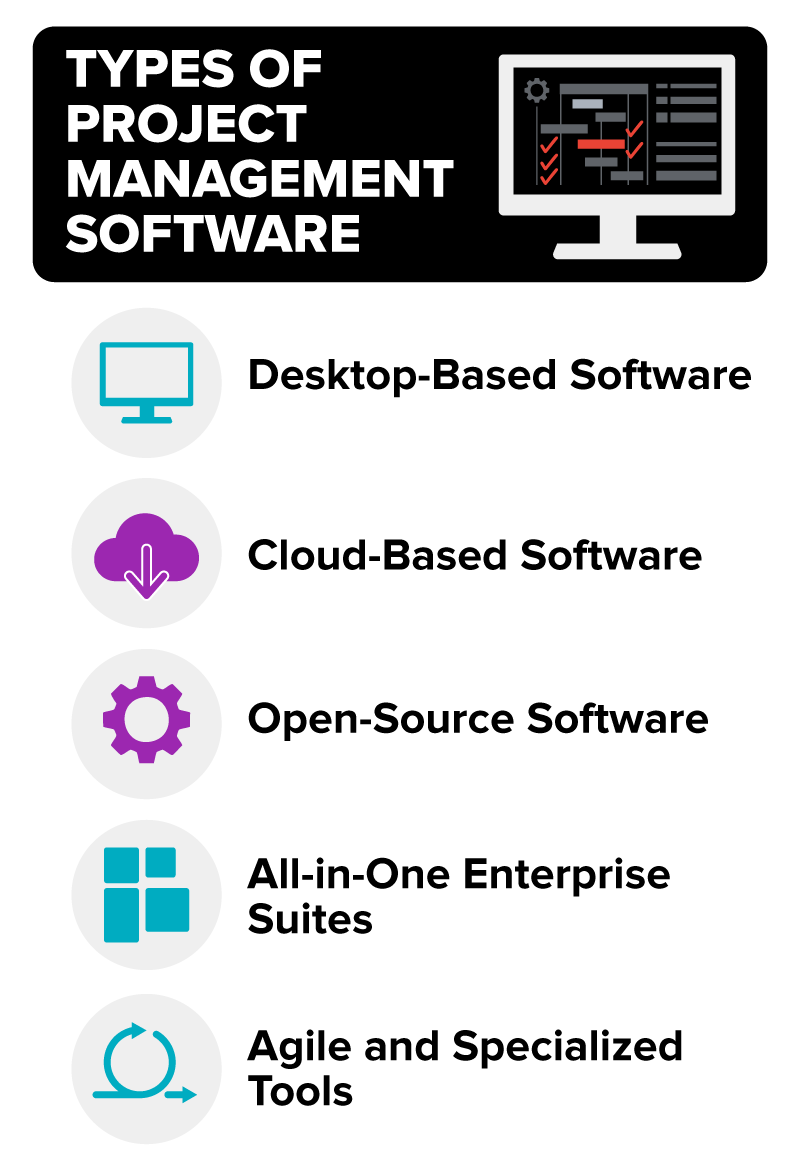
Let’s define each and provide a description and example.
| Software | Description | Example(s) |
|---|---|---|
| Desktop-Based Software | Installed locally on a computer or server; offers high performance and offline access but limited collaboration and remote access | Microsoft Project (desktop version) |
| Cloud-Based Software | Accessible via web browsers, often with mobile apps; facilitates real-time collaboration and easy updates | Asana, Trello, Monday.com, Smartsheet |
| Open-Source Software | Provides flexibility for customization but may require technical expertise for setup and maintenance | OpenProject, Redmine |
| All-in-One Enterprise Suites | Integrated software platforms that include project management alongside other enterprise functionalities such as ERP or CRM | Jira (with Confluence), Microsoft Dynamics 365 |
| Agile and Specialized Tools | Designed for Agile methodologies, software development, or creative workflows | Jira for Agile teams, ClickUp for flexible task management, Wrike for marketing teams |
When evaluating PMS, organizations should consider core features that align with their project management methodology, team structure, and business goals.

This table includes some key features and their descriptions.
| Key Feature | Description |
|---|---|
| Task Management | Assigning, prioritizing, and tracking individual tasks |
| Scheduling Tools | Gantt charts, calendars, timelines, and dependency mapping |
| Resource Management | Tracking availability, workload, and skills of team members |
| Collaboration Features | File sharing, discussion threads, comments, and chat integration |
| Budgeting and Cost Tracking | Monitoring project expenses, forecasts, and financial reports |
| Reporting and Analytics | Dashboards, KPIs, and customizable reports to support decision-making |
| Time Tracking | Logging hours spent on tasks for productivity analysis or client billing |
| Risk Management | Identifying, analyzing, and mitigating project risks |
| Integration Capabilities | Compatibility with email, calendars, CRM, accounting software, and other enterprise tools |
| Security and Permissions | Role-based access control, data encryption, and compliance with industry standards |
Choosing the right project management software is critical. Selection should be guided by criteria that match organizational needs, team capabilities, and project complexity.
The following table provides a structured framework for evaluating potential PMS solutions:
| Selection Criteria | Description | Importance | Evaluation Questions |
|---|---|---|---|
| Usability | Ease of navigation, intuitive interface, and minimal learning curve | High | How quickly can team members learn the system? Does it reduce complexity rather than add it? |
| Collaboration & Communication | Tools for team collaboration, file sharing, comments, chat, notifications | High | Does it allow real-time collaboration? Are integrations with email or Slack available? |
| Task & Project Management | Ability to create, assign, prioritize, and track tasks and projects | High | Are task dependencies supported? Can subtasks and milestones be tracked effectively? |
| Scheduling & Timeline | Gantt charts, calendars, Kanban boards, and timeline views | Medium | Can schedules accommodate changes and dependencies easily? Is drag-and-drop functionality available? |
| Resource Management | Tracking workloads, availability, skills, and allocation | Medium | Can resource conflicts be easily detected? Are dashboards available for resource utilization? |
| Budget & Cost Management | Budgeting, cost tracking, and financial reporting | Medium | Are expenses tracked in real time? Can financial reports be generated easily? |
| Reporting & Analytics | Dashboards, KPI tracking, and customizable reports | High | Are reporting options flexible? Can performance data be exported for further analysis? |
| Time Tracking | Logging hours and tracking productivity | Medium | Is time tracking built in, or does it require third-party integration? Can it generate billing reports? |
| Integration | Compatibility with other business tools (CRM, ERP, email, cloud storage) | Medium | Does it integrate with tools the team already uses? Are APIs available for custom integrations? |
| Security & Compliance | Data protection, user permissions, encryption, regulatory compliance | High | Does it meet organizational and industry security standards? Are permissions granular? |
| Scalability | Ability to grow with the organization and accommodate more projects or users | High | Can the software handle increased team size and project complexity? |
| Cost | Licensing, subscription, and maintenance costs | Medium | Is pricing predictable and affordable? Does it offer ROI compared to productivity gains? |
| Support & Training | Availability of technical support, tutorials, and onboarding resources | Medium | Is customer support responsive? Are training resources sufficient for all users? |
Once the criteria for project software have been defined, you can begin selecting your software.
Selecting the right project management software can make or break your team’s efficiency. With countless options available, it’s good to follow a structured approach to ensure the tool aligns with your project needs, workflows, and long-term goals. The following checklist provides a step-by-step guide—from defining requirements to implementation—so you can make an informed decision with confidence.
 Identify the project needs. Determine the team size. Assess the project complexity. Choose the preferred methodology (Agile, Waterfall, Hybrid).
Compare the features. Check the cost and pricing models. Evaluate the usability. Assess the scalability.
Sign up for free trials. Run pilot programs with actual teams. Test real-world functionality.
Collect team feedback. Measure against defined criteria. Identify the usability issues.
Verify compatibility with existing tools. Check the workflow alignment. Ensure smooth data migration.
Research vendor reliability. Read user reviews. Confirm long-term support options.
Select the software balancing features, cost, and scalability. Confirm alignment with future needs.
Plan a structured rollout. Schedule training sessions. Provide ongoing support.
Identify the project needs. Determine the team size. Assess the project complexity. Choose the preferred methodology (Agile, Waterfall, Hybrid).
Compare the features. Check the cost and pricing models. Evaluate the usability. Assess the scalability.
Sign up for free trials. Run pilot programs with actual teams. Test real-world functionality.
Collect team feedback. Measure against defined criteria. Identify the usability issues.
Verify compatibility with existing tools. Check the workflow alignment. Ensure smooth data migration.
Research vendor reliability. Read user reviews. Confirm long-term support options.
Select the software balancing features, cost, and scalability. Confirm alignment with future needs.
Plan a structured rollout. Schedule training sessions. Provide ongoing support.
Here are a few widely used project management software tools illustrating the diversity in features and approaches:
| Product | Description/Benefits | Considerations |
|---|---|---|
| Microsoft Project | A traditional, robust desktop solution with extensive scheduling and reporting capabilities | Ideal for complex projects but has a steeper learning curve |
| Asana | Cloud-based with task management, project tracking, and collaboration features | Suited for teams favoring flexibility and usability |
| Trello | Visual Kanban-based tool ideal for smaller teams and simple workflows | Highly intuitive but limited in advanced reporting and resource management |
| Jira | Specialized in Agile and software development projects | Offers sprint planning, backlog management, and detailed reporting |
| Monday.com | Flexible platform with visual workflows, automation, and integration capabilities | Suitable for various industries and project types |
Source: THIS TUTORIAL WAS AUTHORED BY SOPHIA LEARNING. PLEASE SEE OUR TERMS OF USE.