Table of Contents |
A mobile operating system (mobile OS) is the main system software that runs a mobile device such as a smartphone or tablet. It manages both hardware and software resources so that users can make calls, browse the web, use apps, take photos, and more.
People use their mobile devices quite differently than their desktop computers, so it’s only natural that their operating systems have different focuses and features. Some key areas of difference are how they handle input and output, integrate with hardware, and support app ecosystems. Let’s begin by considering the unique qualities of a mobile OS in each of those areas.
Modern mobile operating systems are built around GUIs specifically designed for touchscreen interaction. Unlike desktop interfaces that depend on a mouse and keyboard, mobile GUIs support direct finger input, enabling users to tap, swipe, pinch, and drag directly on the display. This "hands-on" approach makes smartphones and tablets intuitive and accessible even for users with little technical experience. Common actions like launching apps, scrolling through content, or zooming in on photos are performed with simple gestures like tapping, swiping, and pinching. Many devices also support stylus input for greater precision, useful in tasks like drawing, handwriting, or navigating small interface elements.
While the touchscreen is the primary input method, mobile operating systems also support onscreen keyboards, voice commands via assistants like Siri or Google Assistant, and input from the microphone and camera for phone calls, photography, and features like facial recognition.
Mobile devices also offer a variety of output methods. The most prominent is the display screen, which presents text, images, videos, and app content through high-resolution touchscreens. Audio output plays sounds, music, and calls through speakers, headphones, or Bluetooth devices. Many phones provide vibrational feedback (haptics) for silent alerts and touch confirmation. Additional output includes visual signals, such as camera flashes for notifications, and wireless output, like sending content to external displays or printers via Wi-Fi, Bluetooth, or screen casting. These combined methods ensure that mobile devices can communicate effectively across many different contexts and environments.
IN CONTEXT
Voice assistants act as both input and output tools, enabling users to interact with their devices using natural speech. As input, spoken commands are captured and interpreted through speech recognition, enabling hands-free tasks like sending messages, setting alarms, playing music, or searching the web. This is especially useful in situations where touching the device isn’t practical, such as while driving or cooking.
As output tools, voice assistants respond with spoken answers or visual feedback on the screen. For example, they might read the weather forecast aloud or display navigation directions while giving turn-by-turn voice guidance. Powered by AI and cloud services, assistants like Siri, Google Assistant, and Alexa continuously improve and integrate with apps and smart home devices, offering a fast, intuitive way to manage everyday tasks.
Mobile OSes are tightly integrated with hardware components, which enables them to react to real-world stimuli in real time. This deep integration improves performance and functionality.
Some hardware features commonly found on mobile devices include:
IN CONTEXT
Mobile hardware components work together in powerful ways to support everyday tasks. For example, the camera enables users to take high-resolution photos and scan QR codes instantly, making it useful for both creativity and convenience. The built-in GPS helps with real-time navigation, whether you're driving across town or finding a coffee shop nearby. When you rotate your phone or tablet to watch a video in landscape mode, the accelerometer detects the change in orientation and adjusts the display automatically. Meanwhile, the gyroscope improves motion sensing for smoother gaming experiences and more accurate step tracking in fitness apps. Together, these components quietly enhance how users interact with their phones in meaningful, practical ways.
An app ecosystem is the complete environment that makes it possible for apps to be developed, distributed, installed, used, and maintained on a device. It includes the app store, where users browse and download apps, such as the Apple App Store or Google Play Store. These stores provide not only a marketplace but also security screening, user reviews, and update mechanisms that help maintain app quality and safety. The ecosystem also involves developer tools and software development kits (SDKs) that allow app creators to build and test applications.
In addition, app ecosystems are governed by policies and guidelines that ensure apps meet platform standards for performance, privacy, and content. Operating system features, such as notification systems, permissions management, and background processing, are also part of the ecosystem, as they define how apps behave and interact with the device and each other.
Cloud services, payment processing, analytics tools, and advertising networks often integrate with the ecosystem as well. Together, these components form a complex yet coordinated system that enables millions of apps to function effectively and securely across mobile platforms.
The two most popular mobile operating systems are Android, developed by Google, and iOS, developed by Apple. Although both platforms serve the same basic purpose, they have different approaches to design, customization, and hardware.
Android is an open-source platform built on the Linux kernel, making it highly flexible. Device manufacturers like Samsung, Google, Motorola, and OnePlus use Android and often customize it to suit their own devices. Because of this, Android phones may look and behave differently depending on the brand.
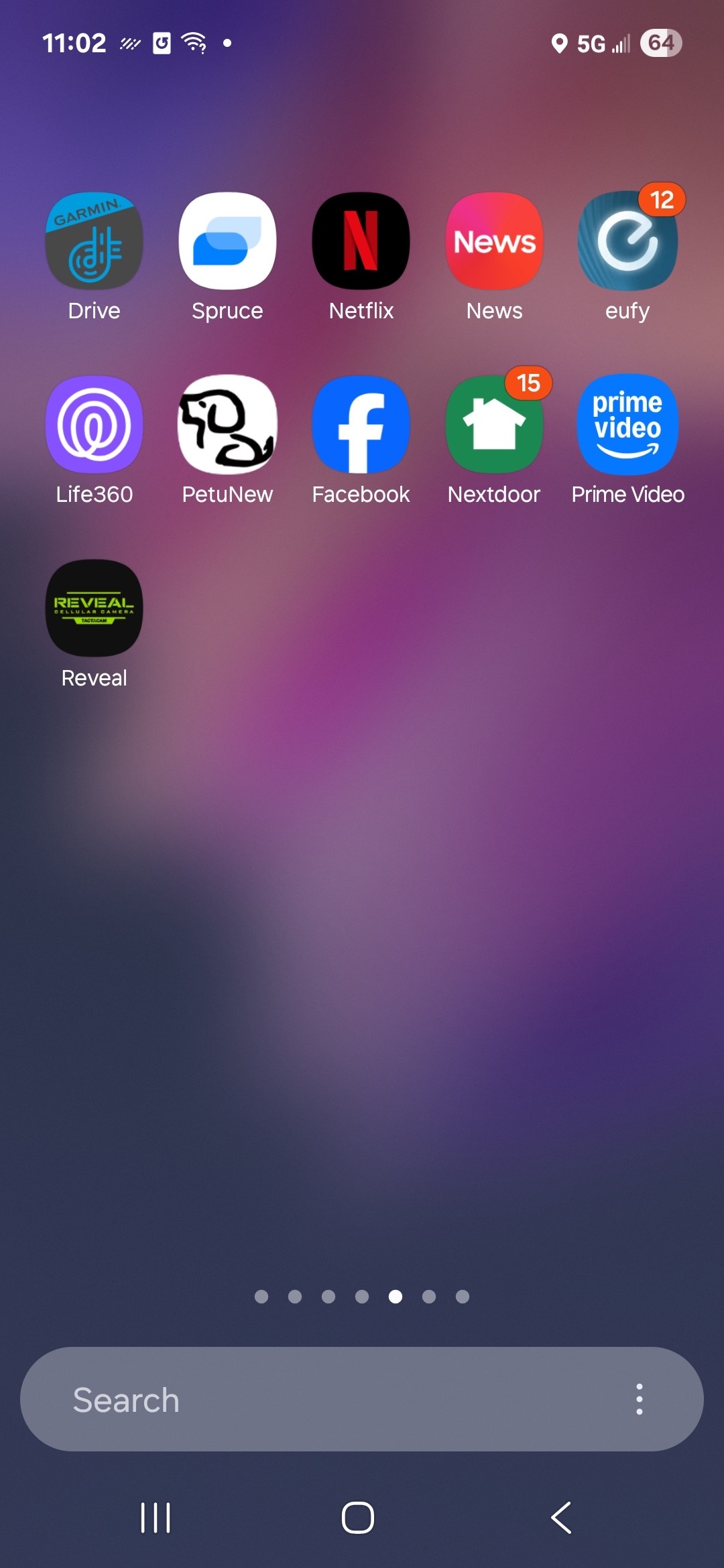
The image here shows an example of an Android home screen, which is what you see after unlocking your phone. The background wallpaper, the arrangement of app icons, and even the search bar at the bottom can all be customized by the user. For example, this home screen displays commonly used apps such as Play Store, Gmail, Photos, and YouTube, along with navigation icons for phone calls, messages, and settings.
One key feature of Android is the ability to personalize this home screen using launchers. A launcher controls the look, layout, and behavior of your device’s interface. Users can install third-party launchers to change app icons, add gestures, adjust transitions, or redesign the theme entirely. Android also supports widgets, which display live app data, such as the weather or calendar, directly on the home screen. Additionally, Android allows apps to be installed from outside the official Google Play Store, though this flexibility comes with increased security risks.
iOS is Apple’s proprietary mobile operating system, used exclusively on Apple devices like the iPhone and iPad. iPads run a closely related version called iPadOS, designed for larger screens and multitasking features. Unlike Android, iOS is closed source, meaning Apple does not share the system’s source code and retains full control over how it functions and looks.
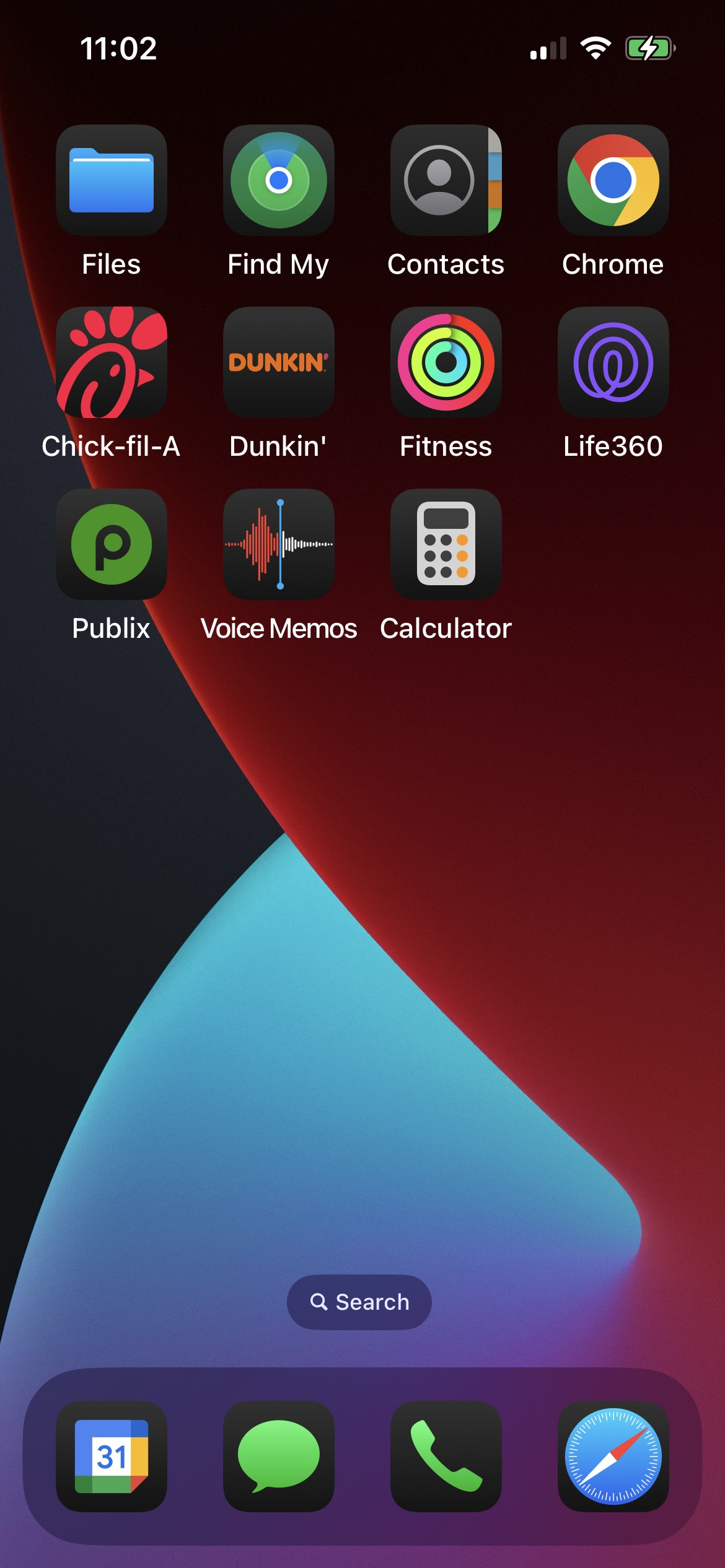
The image here shows an example of an iPhone home screen. The grid of app icons, dock at the bottom, and search bar placement are part of iOS’s consistent design across devices. In this example, the home screen displays default Apple apps such as Phone, Contacts, Camera, and Photos, as well as third-party apps like Facebook, Discord, and Spotify. Unlike Android, users cannot replace the launcher, rearrange the dock beyond the allowed icons, or install apps from outside the official App Store.
Because Apple designs both the software and the hardware, iOS offers consistent user experience, stable performance, and timely software updates across all supported devices. These updates often include new features and important security fixes, and they are delivered directly by Apple, reducing fragmentation.
This consistency and closed system mean iOS allows far less customization than Android, but it also helps protect users from malware and ensures apps meet Apple’s strict quality standards.
Security is a top concern for both platforms, and each uses a different security model.
iOS benefits from its closed ecosystem, where Apple controls every part of the device and app experience. This reduces the chance of software that installs malware or violates the user’s privacy making it onto a device. Android is more open, allowing apps from multiple sources. This increases flexibility but also security risks.
Both systems use sandboxing, which isolates apps from each other and the OS. For example, if a certain app crashes, other apps and the OS itself are usually unaffected. This limits the damage any single app can do.
Devices also offer biometric security features like face or fingerprint authentication. Another key feature is encryption, which protects the data stored on a device. Encryption works by converting your information, like messages, photos, and app data, into a coded format that can only be read with the correct passcode or biometric input. Even if someone were to physically access the device, they wouldn’t be able to read the encrypted data without the proper credentials. Permission management also gives users control over what apps can access, such as the camera, location, or contacts.
Android and iOS also offer regular security updates to patch known vulnerabilities. However, iOS devices tend to receive updates more uniformly and quickly, while Android updates depend on the device manufacturer and carrier.
Source: This tutorial was authored by Sophia Learning. Please see our Terms of Use.



