Table of Contents |
By using JOIN ON, you can determine how rows from the participating tables are matched and combined. ON is usually associated with INNER JOIN, but in some cases, it can also be used with other JOIN types that you will learn about in upcoming lessons.
Specifying the columns to be used in the ON clause, you can join tables on the basis of those columns. This enables you to establish more complex relationships between tables than just columns with the same name. Specifying a JOIN condition explicitly enables you to work with tables that might have semantically related columns with different names. It's particularly useful when dealing with tables that don't share identical column names to join datasets based on specific criteria, such as matching IDs or dates. JOIN ON enables you to create comprehensive datasets and gain valuable insights from your relational database through precise and targeted data retrieval.
Table columns with relationships between them do not always have the same names. For example, if we look at the customer and employee tables, the customer table has a support_rep_id which references the employee_id of the employee table:
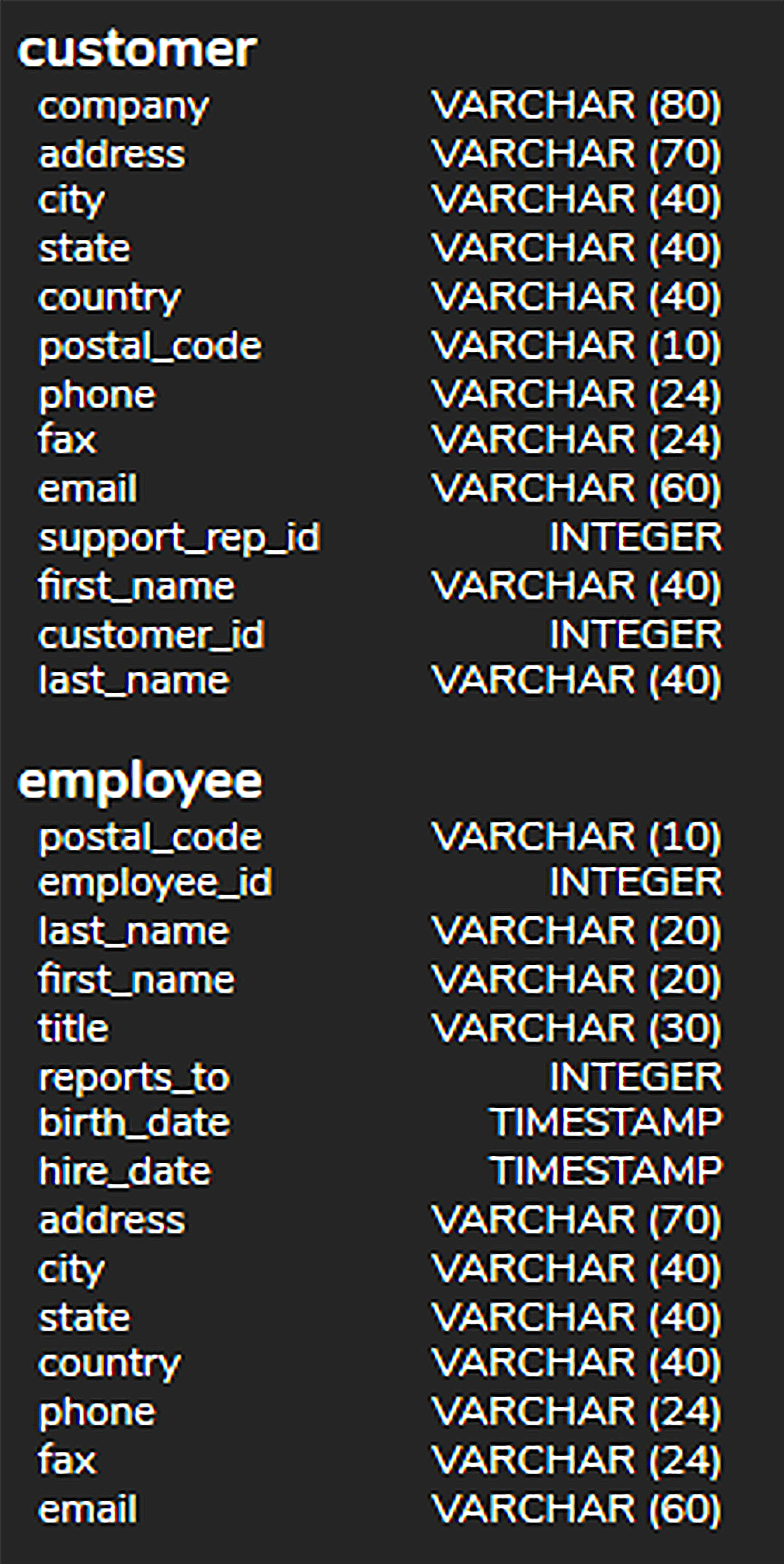
This makes sense because a support representative would be an employee, but it wouldn’t make contextual sense to have employee_id as the column's name in the customer table. Since the column names are different, we could not use the USING clause. Rather, we must use the ON clause.
The structure of the statement looks like the following:
SELECT <columnlist>
FROM <table1>
INNER JOIN <table2> ON <table1column> = <table2column>
We can start the query by filling in the table and column names that we’re joining:
SELECT <columnlist>
FROM customer
INNER JOIN employee ON support_rep_id = employee_id;
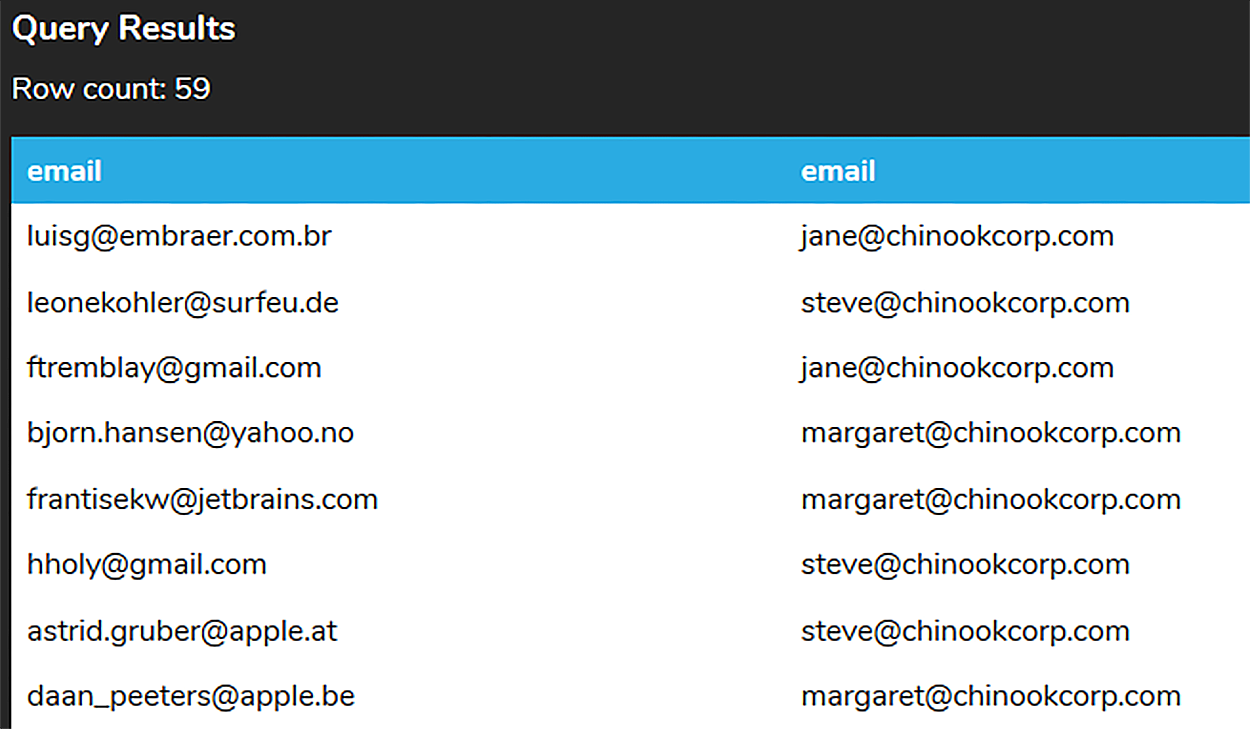
We then need to determine what columns we want to return as part of the query. We don’t want to return all of the columns. For example, we may want to have all of the customer and respective employee emails so that the employees can send out an email to their customers. Since the email addresses are in an email column in both tables, we need to prefix the column with the table name, like this:
SELECT customer.email, employee.email
FROM customer
INNER JOIN employee ON support_rep_id = employee_id;
The core difference between JOIN ON and JOIN USING in SQL lies in how they handle the specification of columns for the JOIN operation.
When you use JOIN ON, you can specify the conditions under which tables are joined. It involves specifying a comparison using one or more columns from the involved tables. With this approach, you can join tables based on any column with related data, even if they don't have the same name. The feature is particularly useful when there is a complex relationship between the columns or when the columns are named differently but represent the same data type.
With JOIN USING, you can specify a single column name common to both tables, simplifying the JOIN process. As a result, column names are not repeated in the result set. By doing this, you can create a more concise query syntax and a more easily readable code. JOIN USING, however, requires that the column with the specified name and data type exist in both tables. Despite simplifying the process for tables with the same column names, it might not be suitable for tables with more varied data or for joining based on more than one column. As a result, your choice of JOIN ON or JOIN USING will depend on the complexity of your JOIN condition and your query's requirements.
Although the ON clause exists primarily to handle situations where the column names between the tables do not match, it does also work if the columns match (and therefore, we could use the USING clause). Let's take a look at an example of the artist and album table with an INNER JOIN with the USING clause:
SELECT title, name
FROM album
INNER JOIN artist USING (artist_id);
We could convert this by removing the USING clause and adding the artist_id prefixed with the table name:
SELECT title, name
FROM album
INNER JOIN artist ON album.artist_id = artist.artist_id;
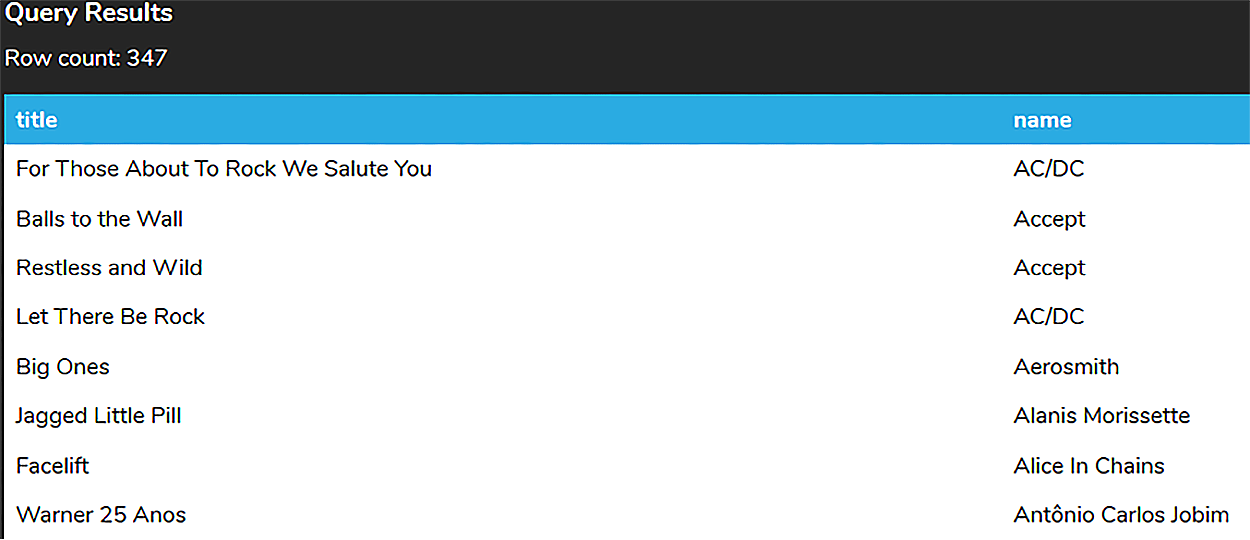
In both cases, the result set is the same:
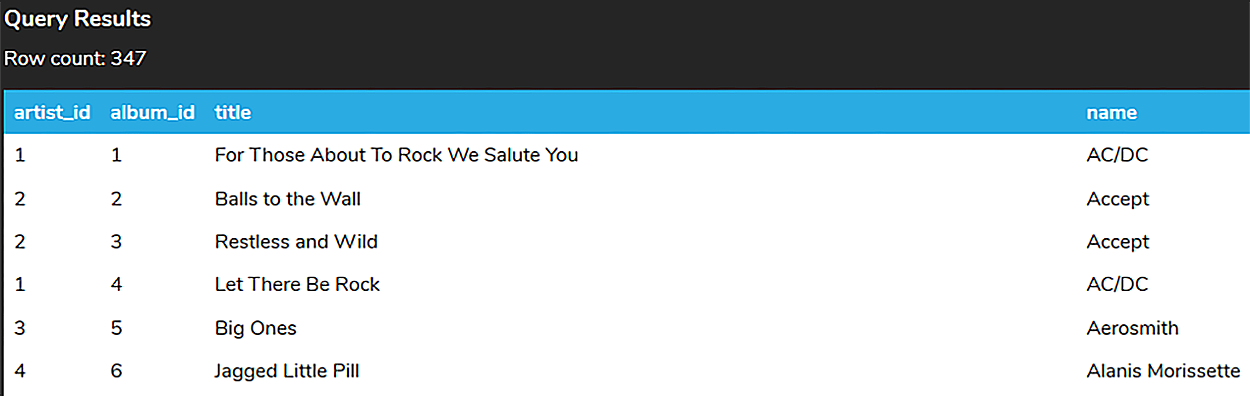
The only case where the result set will be different is if we use the * in the SELECT clause:
SELECT *
FROM album
INNER JOIN artist USING (artist_id);
SELECT *
FROM album
INNER JOIN artist ON album.artist_id = artist.artist_id;
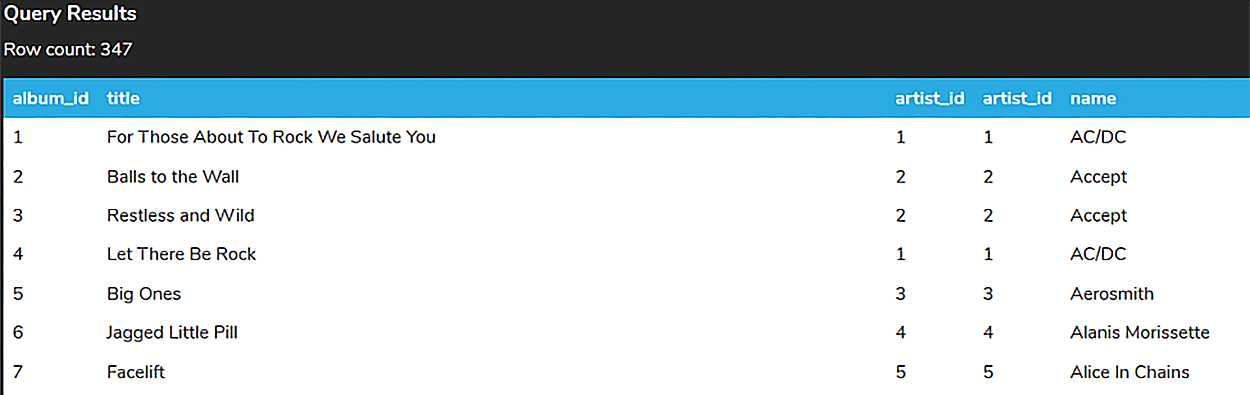
Notice that in the ON clause JOIN, the artist_id appears twice (one for each table), whereas artist_id only appears once in the USING clause. This is because the USING performs an equality JOIN and can only be used when the column names are identical. It is optional and not necessary to include the column twice. Other than that, they function the same.
Source: THIS TUTORIAL WAS AUTHORED BY DR. VINCENT TRAN, PHD (2020) AND FAITHE WEMPEN (2024) FOR SOPHIA LEARNING. PLEASE SEE OUR TERMS OF USE.



