Table of Contents |
Modern IT has moved far beyond the basics of word processing and data management. It is not just about keeping computers running. Instead, organizations use technology strategically to gain a competitive edge. Companies rely on IT to gather insights, streamline workflows, and respond quickly to changing conditions. In a fast-moving economy, IT can mean the difference between growth and stagnation.
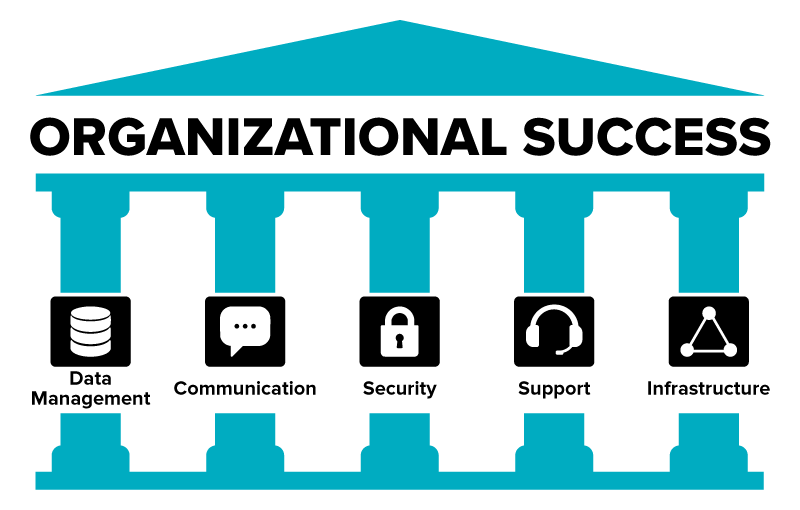
One major role of workplace IT is data management since businesses depend on vast amounts of information. IT systems collect, store, and organize this data so it can guide decision making and support daily operations. Communication and collaboration are also central functions, with email, messaging apps, and videoconferencing platforms allowing employees to stay connected across time zones. Security is equally important, involving firewalls, encryption, authentication systems, and policies that keep organizational data safe from threats.
When employees encounter problems, they rely on technical support teams to troubleshoot issues and prevent downtime. Behind the scenes, IT also maintains the infrastructure such as servers, networks, and hardware that provide a stable foundation for operations. Together, these functions ensure that technology not only supports the workplace but also helps it thrive.
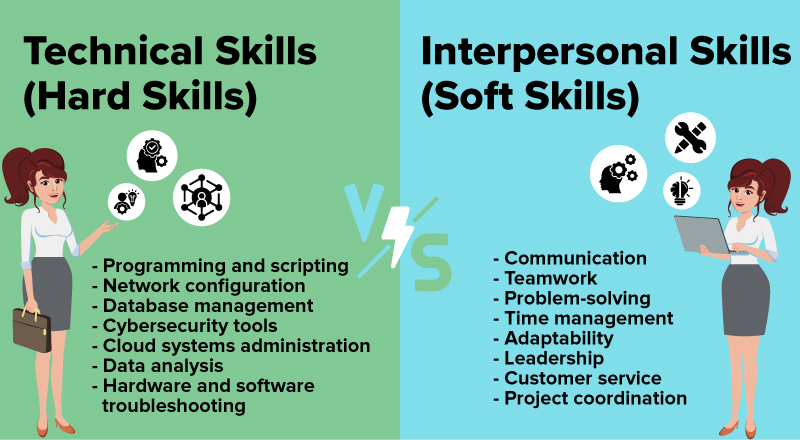
The people who work in IT are central to the success of modern organizations. They do more than ensure systems function. Their work connects technology to business goals and to the people who depend on it every day. Some IT professionals specialize in highly technical areas such as programming, networking, or cybersecurity, while others focus on analysis, project management, or training. Regardless of their role, they help keep technology reliable, secure, and useful.
Technical expertise, often called hard skills, is an important part of IT work. Knowledge of programming languages, database design, or network management gives professionals the ability to build and maintain the systems organizations rely on.
EXAMPLE
A programmer might develop code to automate invoice processing, saving employees hours of repetitive work. A network administrator could configure secure connections so employees in different locations can access company systems without disruption.Yet technical knowledge is not enough on its own. IT professionals also need strong soft skills such as communication, teamwork, and problem solving. These interpersonal abilities allow them to work across departments, explain complex issues in clear terms, and design solutions that actually fit the way people do their jobs. In many cases, these skills determine whether a technical project succeeds.
EXAMPLE
An IT project manager must coordinate a company-wide migration to cloud services. While technical understanding is important, leadership, planning, and communication skills make the difference in meeting timelines and budgets.Because IT touches every part of the modern workplace, career paths are diverse. Some professionals thrive in hands-on technical roles, while others gravitate toward leadership or coordination. This variety makes information technology one of the most flexible career fields, offering paths that suit both technical problem-solvers and collaborative leaders.
Workplace technology never stands still. The tools and systems that IT professionals support are constantly changing, and those changes affect how organizations function every day. To understand the impact of IT on modern work, it helps to look at current trends that are reshaping collaboration, culture, and security. In the next sections, we will explore several important examples—cloud computing, remote work, digital workplace culture, and mobile technology—to see how each one influences today’s workplaces.
Cloud computing has become a common part of workplace IT. Instead of relying only on servers located in company buildings, organizations now access computing resources over the internet. Providers such as Amazon Web Services, Microsoft Azure, and Google Cloud make it possible for businesses of all sizes to use advanced technology without maintaining it all themselves.
This model offers several benefits. It allows companies to scale quickly when demand changes, such as an online retailer adding capacity during holiday shopping seasons. It also reduces costs, since organizations pay only for the services they use rather than investing heavily in hardware up front. Another major advantage is accessibility. Employees can log in to cloud-based systems from almost anywhere with an internet connection, which supports collaboration across locations and time zones. A common example is the use of Microsoft 365 or Google Workspace, where multiple users can co-edit documents and share files in real time.
Along with these benefits come new challenges. Organizations must carefully manage security and privacy, since sensitive information is often stored on servers outside their direct control. Legal requirements such as data protection laws can add complexity, especially for companies operating in different countries. IT departments also need to define responsibilities in the shared responsibility model, which divides security tasks between the cloud provider and the customer. For example, a healthcare provider using cloud storage must still encrypt patient data to comply with HIPAA, even if the vendor secures the underlying infrastructure.
Remote and hybrid work have expanded rapidly in recent years, supported by IT systems that make collaboration possible. While remote work had been growing for some time, the COVID-19 pandemic accelerated its adoption on a global scale. Many organizations now operate with employees working partly or fully from home, using videoconferencing, messaging platforms, and secure connections such as virtual private networks (VPNs).

Remote work brings clear advantages. Organizations can recruit talent from a wider geographic area, while employees often report improved work-life balance. Businesses may also save money on office space and related costs. A global software company, for instance, can assemble skilled programmers from multiple countries and bring them together on collaborative platforms to build applications more efficiently.
At the same time, remote work introduces challenges that IT must address. Cybersecurity risks increase when employees connect from home networks that may not be as secure as office systems. Communication can also suffer if teams rely too heavily on digital tools without clear expectations. IT departments often provide training on secure practices and digital etiquette to maintain productivity and protect systems.
As more employees work remotely or across different locations, workplace culture increasingly depends on digital platforms. Collaboration tools, instant messaging, and project management systems shape how employees interact, share ideas, and feel connected.
When managed well, these tools can foster inclusivity, transparency, and teamwork by making it easier for people to stay informed and engaged. Leaders can also use them to communicate directly with staff, reinforcing organizational values and goals.
At the same time, technology can affect culture in less positive ways if not managed thoughtfully. Constant notifications may create stress, while an overreliance on messaging can reduce the richness of in-person interaction. IT departments and organizational leaders often work together to set guidelines for healthy technology use, such as defining communication norms or encouraging “digital downtime.” Aligning technology with cultural goals helps ensure that digital tools strengthen engagement rather than undermine it.
Mobile devices are now central to the way employees work. Smartphones and tablets are used to check schedules, collaborate with colleagues, and access cloud applications from almost anywhere. Many organizations support “bring your own device” (BYOD) policies that allow staff to use personal devices for work tasks. This approach can lower costs and make employees more comfortable since they are already familiar with their own devices.
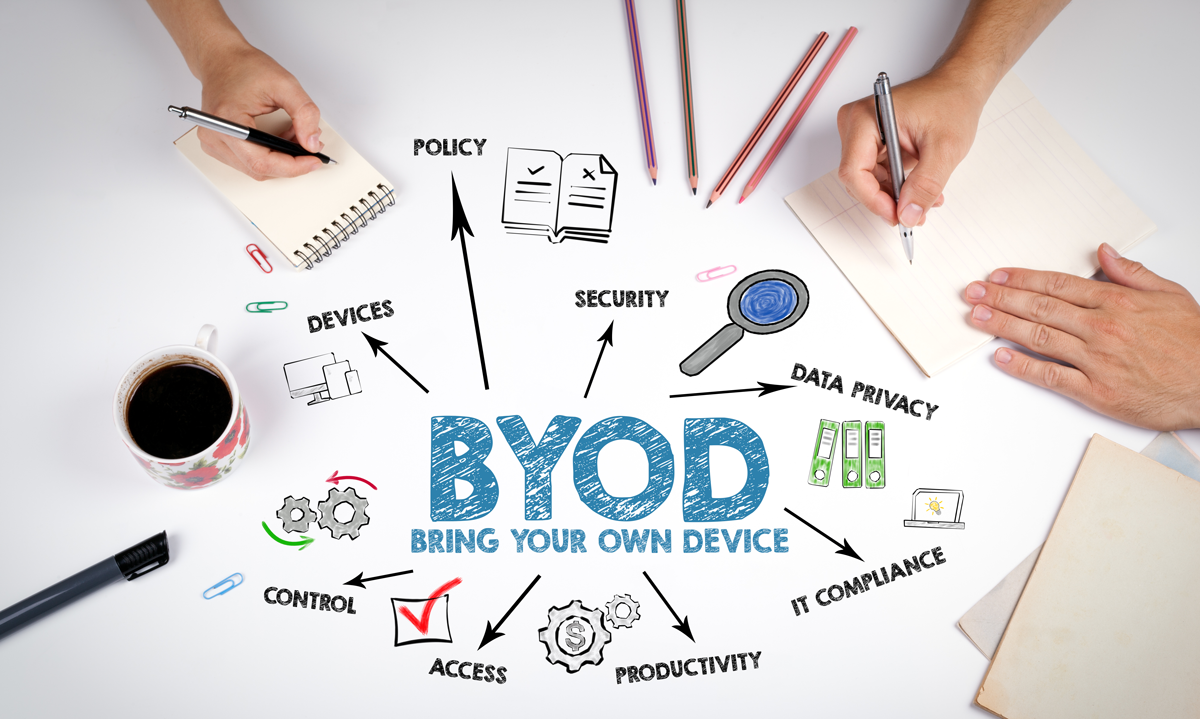
At the same time, BYOD introduces important challenges for IT departments. Personal devices may not have the same security protections as company-issued hardware, creating potential entry points for cyber threats. To manage this risk, many organizations use mobile device management (MDM) tools that enforce security policies such as requiring passwords, encrypting data, or enabling remote wipe in case of loss or theft. The challenge is balancing convenience for employees with strong protection for company data.
Technology continues to evolve, and the next wave of innovations will shape how organizations operate in the years ahead. While many of these tools are still developing, they offer a glimpse of how IT may expand its role in supporting productivity, collaboration, and sustainability.
Artificial intelligence and machine learning are expected to play a growing role in workplace systems. These technologies are moving beyond chatbots and data analysis to support decision making and provide personalized assistance. For example, AI tools may help schedule meetings across time zones, review contracts for risks, or deliver tailored training to employees.
Automation and robotics are also becoming more common. By taking on repetitive or routine tasks, automated systems allow employees to focus on higher-value work that requires creativity and strategy. In industries such as manufacturing or logistics, robotics can improve efficiency while reducing error rates.
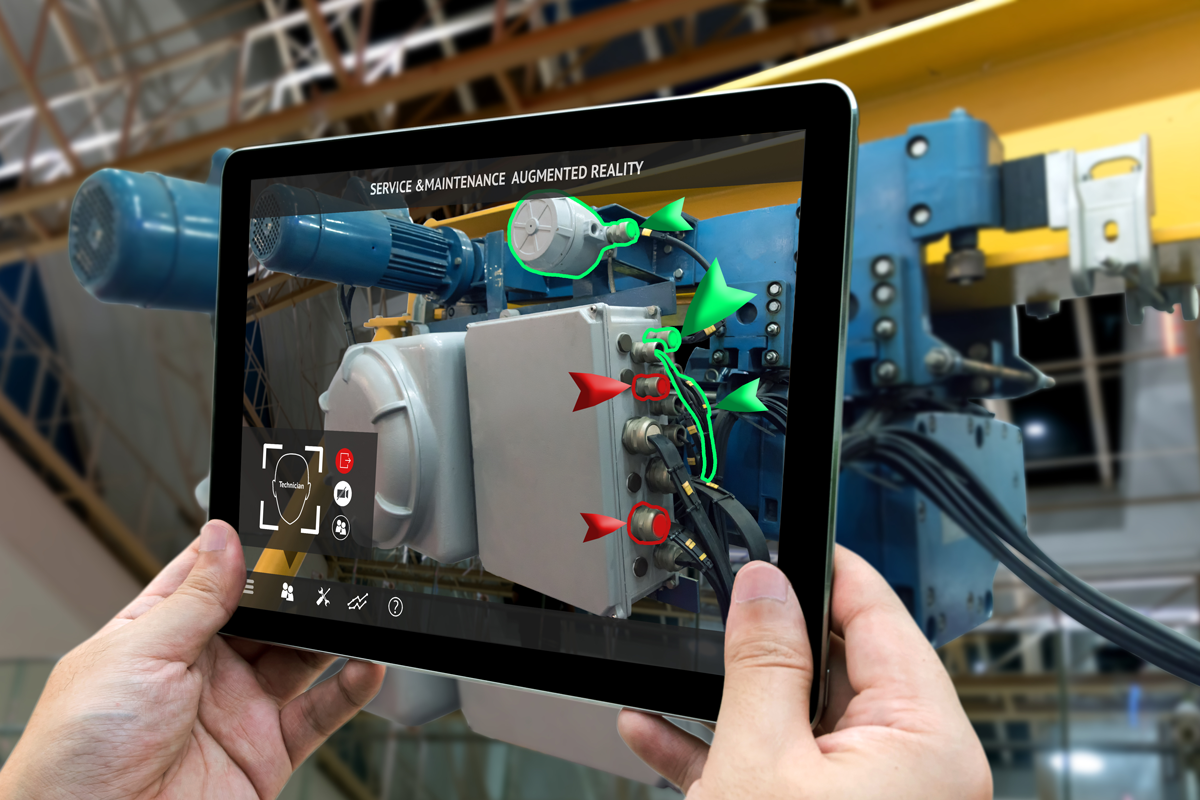
Augmented reality (AR) and virtual reality (VR) are beginning to change how organizations approach training and collaboration. AR overlays digital content onto the real world, such as instructions, graphics, or interactive elements that appear through smart glasses or a smartphone screen. VR, by contrast, replaces the real world entirely with a simulated environment, where users interact with a fully digital space using headsets and controllers. Both technologies create immersive experiences, but AR enhances reality, while VR transports users into an alternate one. These tools expand the possibilities of workplace IT. AR can guide technicians through complex repairs by layering instructions directly over physical equipment, while VR can create immersive environments for training or team meetings across continents.
Researchers are also exploring quantum computing as a future technology that could accelerate problem solving in areas like logistics, medicine, and cybersecurity. Although still experimental, quantum systems may one day solve challenges that even today’s most advanced computers cannot.
Finally, IT is expected to align more closely with sustainability initiatives. Green IT practices, such as energy-efficient data centers and low-carbon cloud solutions, show how technology can support environmental responsibility alongside business goals. As organizations balance performance with sustainability, IT will play an increasingly central role.
Source: This tutorial was authored by Sophia Learning. Please see our Terms of Use.



