
Table of Contents |
Most computing devices have a similar architecture. The core of this architecture is the central processing unit (CPU). The CPU is the brain of the computer, executing software instructions and returning results.
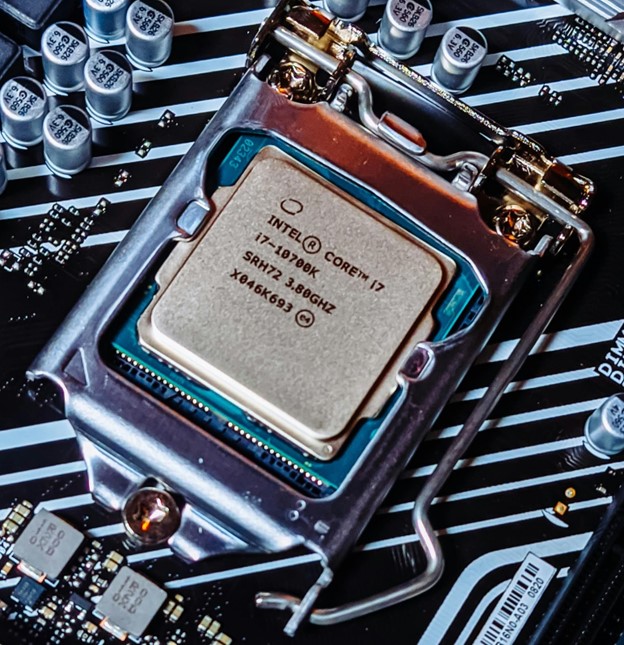
The earliest CPUs were large circuit boards with limited functionality. Modern CPUs are much more powerful and compact. What once took an entire circuit board now fits on a single chip about the size of postage stamp. These chips can contain multiple cores, which means they can handle several tasks at the same time.
There are two main types of CPU designs used in today’s devices:
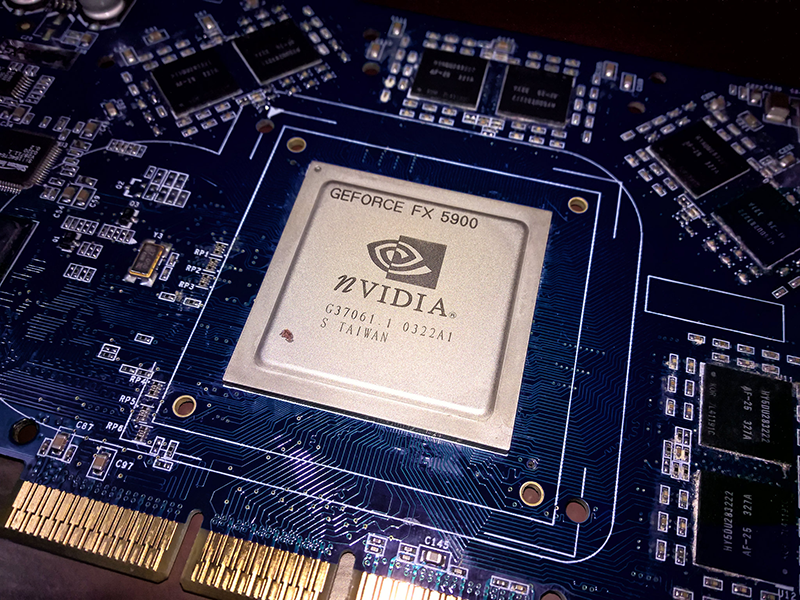
While the CPU handles most of the general processing in a computer, another important component is the graphics processing unit (GPU), a special computer chip built to quickly handle and change computer memory to create images, videos, and animations. Unlike the main computer chip, the central processing unit (CPU), which handles many different kinds of tasks one step at a time, a GPU has a design that allows it to do many calculations at once. A CPU is designed for general purpose computing and can switch rapidly between tasks. A GPU, in contrast, has many smaller cores that work together to process large groups of similar tasks in parallel. This makes GPUs very good at creating visuals in video games and special effects in movies.
| CPU | GPU | |
|---|---|---|
| Main Function | General purpose processing; runs the operating system and programs | Specialized for handling images, video, and repetitive tasks |
| Design | Few powerful cores (usually 4–16) | Many smaller cores (hundreds to thousands) |
| How It Completes Tasks | Best at sequential processing, solving one complex task at a time very quickly | Best at parallel processing, solving thousands of simple tasks at the same time |
| Best Uses | Browsing, word processing, system tasks, and apps | Gaming, video editing and processing, and animations |
| Common Devices | Found in all computers and smart devices | Found in gaming PCs, phones, tablets, and high-performance laptops |
The motherboard is the main circuit board on the computer. The CPU, RAM, hard disk, integrated graphics card, and sound card (if not embedded into the motherboard), among other things, all connect into the motherboard. Motherboards come in different shapes and sizes, depending upon how compact or expandable the computer is designed to be. Most modern motherboards have many integrated components, such as video and sound processing, which used to require separate components.
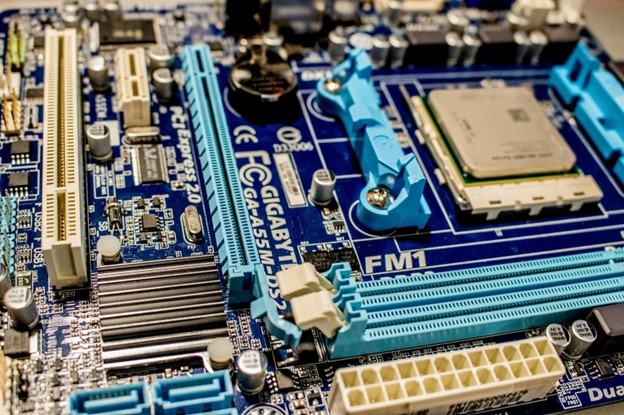
The motherboard provides much of the bus of the computer (the term “bus” refers to the electrical connection between different computer components). The bus is an important determiner of the computer’s speed: The combination of how fast the bus can transfer data and the number of data bits that can be moved at one time determine the speed.
A computer uses different types of memory to perform different tasks. Two of the most important internal memory components are Random-Access Memory (RAM) and Read-Only Memory (ROM).
RAM is the computer’s short-term memory. It temporarily stores information and programs so the CPU can access data quickly. For example, when you open a web browser or a document, that program is loaded into RAM so it runs faster. RAM is installed as long, rectangular chips called DIMMs that plug into the motherboard. The more RAM a computer has, the better it can handle multiple programs at once.
ROM stores the permanent instructions a computer needs during startup, including the steps for loading the operating system. Unlike RAM, ROM is nonvolatile, meaning its data remains even when the computer is powered off.
Most modern computers use Flash ROM, a type of rewritable memory that holds the system’s firmware—essential startup instructions that tell the computer how to check hardware and locate the operating system. Firmware is rarely changed, but it can be updated when necessary to fix bugs or add new hardware support. Even though Flash ROM can be rewritten, its data usually remains unchanged for long periods because it’s critical for the system to run correctly.
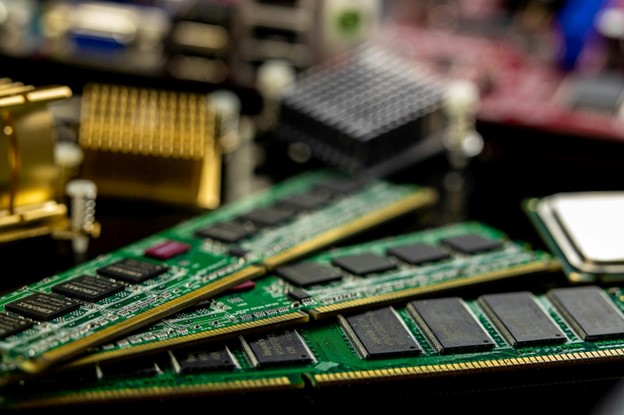
While the CPU, GPU, RAM, and motherboard are some of the most important parts of a computer, there are a few other key components that help everything run smoothly.
The Power Supply Unit (PSU) is responsible for managing the electricity needed for the operation of the system. It takes electricity from the wall outlet (AC) and converts it into a form the computer (DC) can use. Then it sends that power to the motherboard, CPU, storage drives, fans, and other components. Power supplies vary in size and strength depending on how much energy the system needs.
When the CPU and GPU are working hard, they create a lot of heat. To keep the computer from overheating, cooling systems are used. Most computers have one or more fans to move hot air out of the case. A heat sink is a metal piece attached to the CPU or GPU that helps pull heat away so it can cool down faster. Without proper cooling, a computer can slow down or even shut down to protect itself.
Now that you’ve learned about the key internal components of a computer—like the CPU, GPU, motherboard, memory, and power supply—it’s helpful to see how these parts fit together inside the case.
The diagram below shows a typical desktop computer with each of the main internal components labeled.
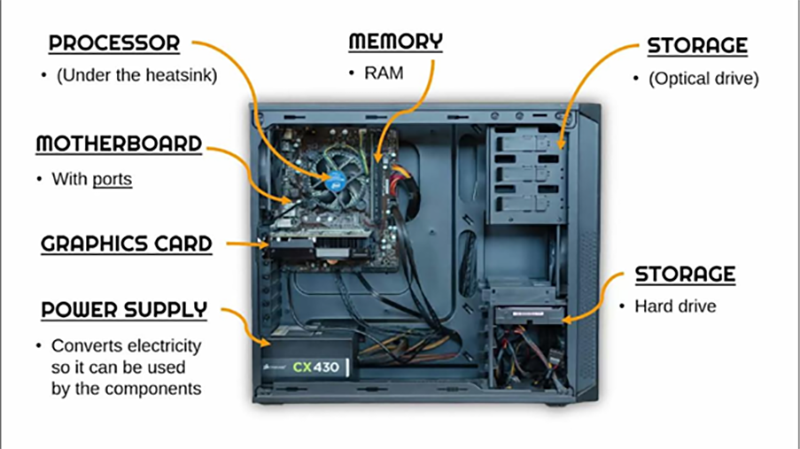
Source: This tutorial was authored by Sophia Learning. Please see our Terms of Use.



