Table of Contents |
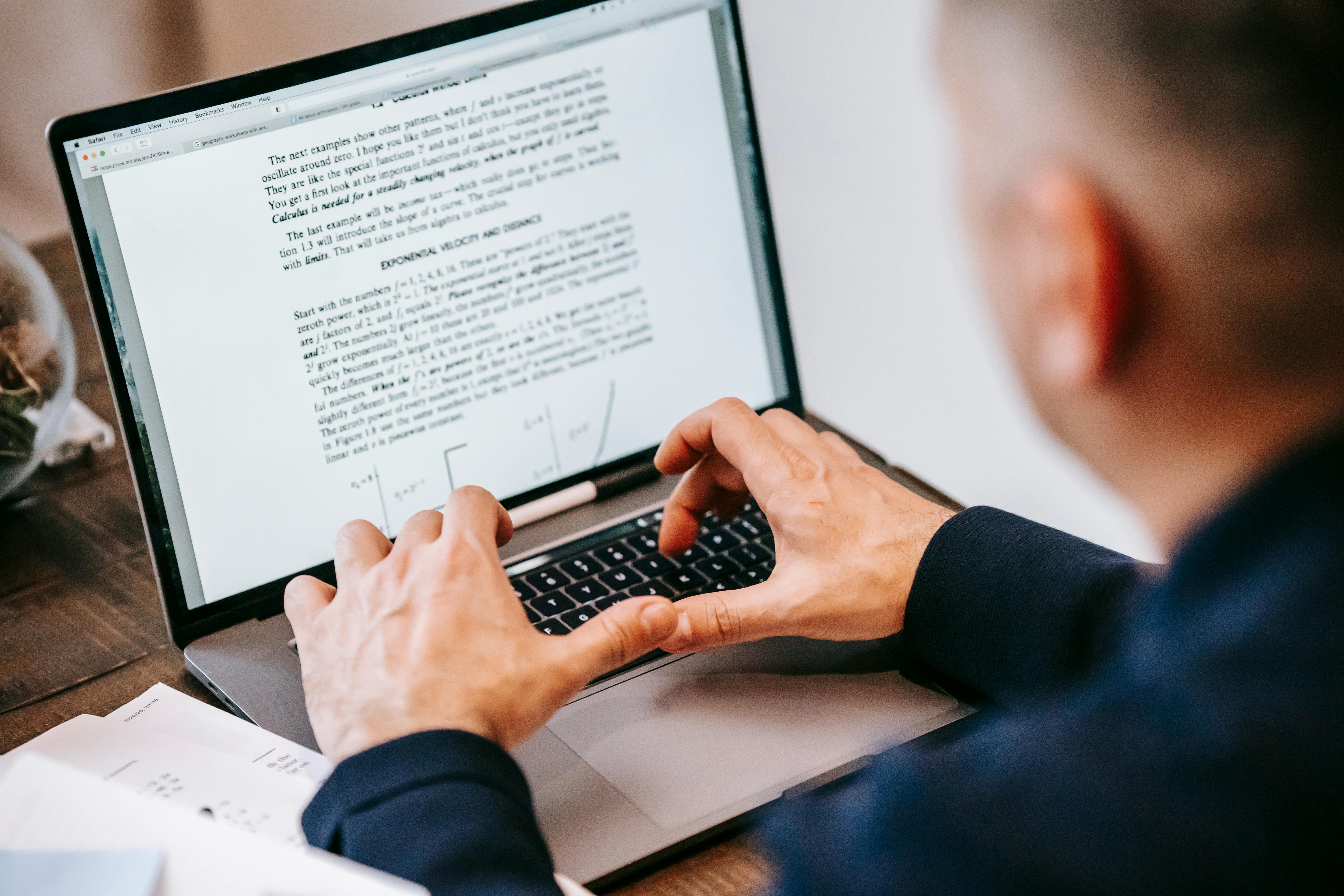
You have probably copied and pasted something from the internet—maybe a quote, image, or chart—into a school or work project. That is common. However, using digital content the right way means understanding copyright, fair use, and how to give credit.
Copyright is a law that protects original content like writing, videos, images, music, or code. The moment you create something—by typing it, recording it, or drawing it—you automatically own the copyright. You do not need to register it or add a special symbol.
EXAMPLE
You write a blog post for a school project—your words are protected by copyright the moment you finish typing, even without a copyright symbol.Most content you find online is copyrighted—even if it is easy to download. That means you cannot reuse it freely unless there is a clear reason it is allowed.
Fair use is a legal rule that lets you reuse small parts of copyrighted content without asking for permission—but only in specific situations. Common reasons include:
EXAMPLE
You include a short paragraph from a news article in your school report. You add your own commentary, use only a small section, and list your source. This may qualify as fair use.Fair use decisions depend on four key questions, called the four factors of fair use. These must be considered together—no single factor is enough to guarantee that a use qualifies as fair. The table below explains these factors.
| Factor | Ask Yourself |
|---|---|
| 1. Purpose of use | Is it for education, commentary, or noncommercial use? |
| 2. Nature of the work | Is the original content factual (like a report) or creative (like a song)? |
| 3. Amount used | Are you using a small, relevant part—not the most important section? |
| 4. Effect on the market | Will this hurt the creator’s ability to sell or earn from their original work? |
Courts decide fair use cases one at a time, based on the specific details of each situation. There is no set rule—like a certain number of words or percentage of a work—that guarantees something is fair use without permission (U.S. Copyright Office, 2025).
You can reuse some online content legally—but only if you follow specific rules. The table below explains common methods and best practices.
| Approach | What It Means | Best Practice | Example |
|---|---|---|---|
| Fair use statement | A short explanation of why your use qualifies as fair use, based on the four factors | Add a sentence like “Used for education” or “Includes commentary” to show thoughtful use. | A chart is displayed with the following underneath: “This chart is used under fair use for education. A small portion is shown for discussion.” |
| Crediting sources | Naming the original creator—even when not legally required | Always list the author or source to show respect and transparency. | A slide shows a quote with the author’s name and article title underneath. |
| Creative Commons (CC) |
A licensing system that lets creators say exactly how others can use their work. CC content is free to use—but only if you follow the license rules. It was developed to offer more flexibility than strict copyright. Common licenses include:
|
Always check the license type and follow the terms (such as giving credit or avoiding commercial use). | A CC BY-NC image is used in a nonprofit brochure with credit to the photographer. |
| Public domain | Content that is no longer or never was protected by copyright and can be freely used by anyone | Double-check that the work is clearly labeled public domain before using it. | A photo from a 1900s archive labeled “public domain” is used in a presentation. |
IN CONTEXT: Respecting License Terms
You are designing a flyer for a free wellness workshop at your nonprofit organization. You find a photo of people doing yoga on a stock image site. The photo is labeled “CC BY-NC”, which means you can use it as long as you give credit and do not make money from it.
You add the photo to your flyer and include a small note at the bottom: “Photo by Leslie Tan, used under CC BY-NC license.”
Your supervisor reviews the flyer and appreciates that you followed the license terms. By using the image properly and giving credit, you avoid legal issues and show respect for the creator’s work.
Today, many people use AI tools like ChatGPT, Google Gemini, and Microsoft Copilot to help with writing, organizing, or brainstorming. These tools can be helpful—but they also raise new questions about honesty, accuracy, and responsibility.
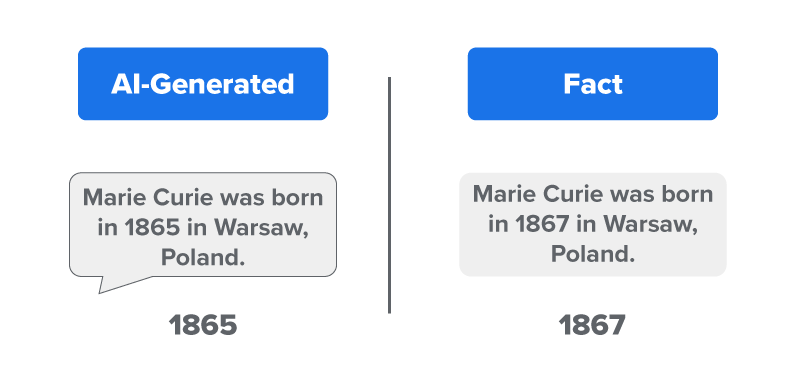
AI is designed to support your work—not replace your ideas. While it may give fast, polished responses, the information is not always correct or complete. Sometimes, AI tools make up details that sound real but are not. This is called AI hallucination. For instance, an AI might generate a quote or statistic that looks authentic but is entirely fabricated.
The example below shows how an AI-generated response can look convincing but still be false.
AI tools can also reflect bias, which means they might overlook certain perspectives or repeat unfair patterns learned from the data they were trained on (Partnership on AI, 2023). This is known as AI bias.
AI tools are helpful, but ethical users do not just accept results blindly. They also let others know when AI was used in their work. This is called AI disclosure.
To help you use AI responsibly, here are some easy-to-follow tips.
| Tip | What It Means |
|---|---|
| Use AI as a helper, not a substitute. | Let AI support your ideas, not do the work for you. |
| Check for accuracy. | Always verify facts—AI can sound right but still be wrong. |
| Watch for bias. | Be alert to one-sided answers; ask broader questions if needed. |
| Add your own thinking. | Include your voice, ideas, and judgment—not just AI output. |
| Give credit if required. | Follow your school or workplace rules for AI use and citation. |
| Do not present AI work as your own. | Copying AI output without checking or editing is dishonest. |
Sharing has become easier with technology—but that also means it is easier to share things you should not, especially when it involves someone’s personal details. Just as you use AI tools carefully, it is important to think before sharing information about yourself or others.
In digital spaces, protecting privacy is part of using technology responsibly. That includes being careful about what shows up in messages, photos, voice recordings, and shared files.
Personal information can include:
Be an ethical user by:
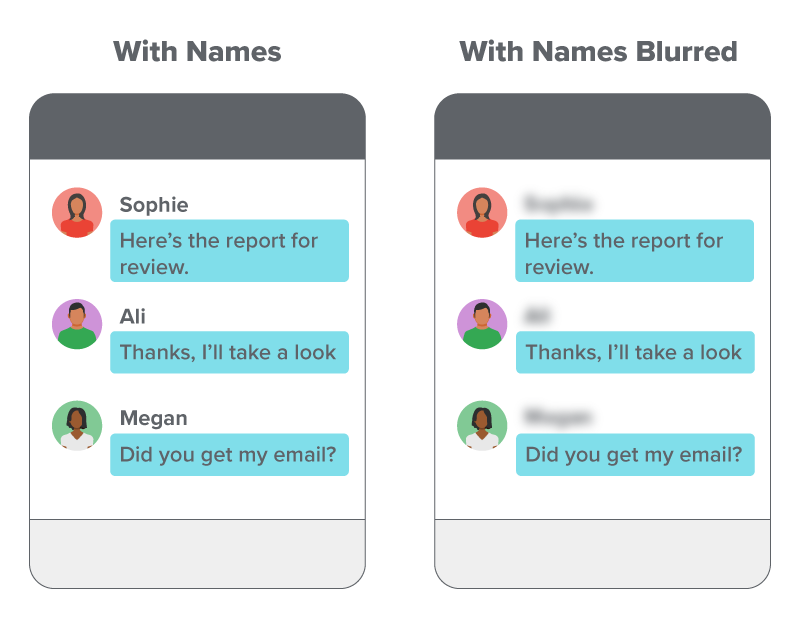
These are just a few examples. Being an ethical user means staying thoughtful and respectful anytime you use or share digital content.
EXAMPLE
You start a video call for a group project and pause to remove personal mail and papers from view before turning on your camera.Understanding privacy settings on the platforms you use helps you control what others can see and helps keep both your information and others’ safe.
Check your privacy settings by:
Source: THIS TUTORIAL HAS BEEN ADAPTED FROM OPENSTAX’S “WORKPLACE SOFTWARE AND SKILLS.” ACCESS FOR FREE AT OPENSTAX.ORG/DETAILS/BOOKS/WORKPLACE-SOFTWARE-SKILLS. LICENSE: LICENSE: CREATIVE COMMONS ATTRIBUTION 4.0 INTERNATIONAL.
REFERENCES
Partnership on AI. (2023). Meeting the moment: 2023 Annual report. partnershiponai.org/annual-report-2023/
U.S. Copyright Office. (2025, February). U.S. Copyright Office fair use index. www.copyright.gov/fair-use/



